
Your Xero chart of accounts is the list of categories every transaction in your business gets filed under. If it is simple and consistent, your reports make sense and your tax figures are easy to trust. If it has grown messy, you end up with a profit figure you cannot rely on. The good news is that it is very fixable, and you do not need to be an accountant to understand it.
In this guide I explain how a small UK business can structure its chart of accounts in Xero, what goes where, how VAT coding fits in, and the mistakes I see most often with loans, dividends, director loan accounts and misclassified expenses. I also cover opening balances, because that is where many people get stuck when they move onto Xero part-way through a year.
TL;DR
- The chart of accounts is the foundation of your Xero file. Every report, VAT return and tax figure is built from it.
- Keep it small and logical. Most small businesses work well with a modest list rather than hundreds of accounts. I go into the detail in my guide to keeping a Xero chart of accounts lean.
- Loans, dividends, director loan account entries and VAT-coded items are the areas where wrong categories cause real problems.
- Get your opening balances right on day one and the rest of the year is far easier.
- I can set up, review and tidy your Xero records so your reporting is accurate and ready for HMRC.
Table of Contents
- What the chart of accounts actually does
- The five account types in plain English
- How to structure your chart of accounts
- A practical example: a sole trader electrician
- Income: keep streams separate
- Expenses: where misclassification creeps in
- Assets and liabilities: the balance sheet side
- VAT coding in Xero
- The big four mistakes: loans, dividends, director loans and misclassified costs
- Opening balances: getting the starting point right
- Why this matters for Making Tax Digital
- A short routine to keep the chart tidy
- My view: the software is rarely the problem
- How I can help with your Xero set up
- FAQ
- Need help?
- Sources
What the chart of accounts actually does
Think of it as the filing cabinet for your money. Each drawer has a name and a code, and each bank transaction, invoice or bill goes into one drawer. Xero’s own help pages describe it as the list of all the accounts you can use to record transactions, which helps you categorise correctly and group them for reporting (see how to add or edit an account).
Xero gives you a default list when you create an organisation. You can add, edit or archive accounts from the Accounting menu, and you can import a customised list from a CSV file if you want to save time on manual setup. The default list is a sensible starting point, but it is generic. Your business is not.
Two reports depend on it more than any others:
- Profit and Loss, which shows income and expenses over a period.
- Balance Sheet, which shows what you own, what you owe and what is left for you at a point in time.
If an item sits in the wrong place, one or both of these will be wrong, and so will anything built on them, including your Self Assessment or Corporation Tax figures.
The five account types in plain English
Every account in Xero belongs to one of five broad groups. Once you see them clearly, the rest is easier.
| Group | What it means | Appears on | Everyday examples |
|---|---|---|---|
| Income (revenue) | Money you earn from your trade | Profit and Loss | Sales, consultancy fees, rental income |
| Expenses (including direct costs) | Costs of running the business | Profit and Loss | Materials, software, insurance, travel |
| Assets | Things the business owns or is owed | Balance Sheet | Bank accounts, equipment, money customers owe you |
| Liabilities | What the business owes | Balance Sheet | VAT due, loans, credit cards, PAYE due |
| Equity | What belongs to the owners | Balance Sheet | Share capital, retained profits, owner’s drawings |
The key habit is to ask one question before you pick an account: is this a cost of running the business this year, or is it money moving on the balance sheet? Buying stationery is an expense. Repaying a loan is not an expense, it reduces a liability. Mixing those two up is the root of many of the mistakes below.
How to structure your chart of accounts
There is no single correct layout, but there are principles that work for small UK businesses.
Start from what you report, not what you spend
Work backwards. What do you need to see on a report? Perhaps you want to know which income stream is most profitable, or what your vehicle costs really are. Create accounts for the things you will actually look at. If you will never review it, it probably does not need its own account.
When I help clients set up Xero, I prioritise logical mapping that separates income streams from operating costs. That one decision makes the file easier to read now and easier to keep compliant when digital reporting requirements apply.
Keep the list short
A long list invites inconsistency. If you have four different accounts for “phone”, “mobile”, “telephone” and “communications”, the same type of cost will be split across them and no total will be right. Merge similar accounts, archive the ones you do not use, and aim for a list you can hold in your head.
Use sensible, consistent codes
Xero uses numeric codes. Keep them consistent, for example income in the 200s, direct costs in the 300s, overheads in the 400s. Consistent codes make reports tidier and make it simple for an accountant to review the file later.
Rename rather than fight the locked accounts
Some accounts in Xero are system accounts, such as the bank accounts, accounts receivable, accounts payable and the VAT account. Xero will not let you archive or delete these, because reports and VAT calculations depend on them. You can often rename them to suit your business, but you cannot remove them. The detail is in Xero’s guidance on locked and system accounts. If you try to work around them, you tend to create errors in your VAT return, so it is better to map transactions to the right account from the start.
A practical example: a sole trader electrician
Let me show how this works with a simple, made-up example (it is illustrative, not a real client).
A sole trader electrician starts with Xero’s default list. It has accounts she will never use, and it lacks a few she needs. A tidy version might look like this:
Income
- Installation work
- Repairs and call-outs
- Other income
Direct costs
- Materials and parts
- Subcontractor costs
Overheads
- Vehicle running costs (fuel, servicing, insurance)
- Tools and small equipment
- Software and subscriptions
- Insurance
- Phone and internet
- Accountancy fees
- Bank charges
Balance sheet
- Business bank account
- Van (fixed asset)
- Owner’s drawings
- Owner’s capital introduced
That is around 20 accounts, and each one answers a question she is likely to ask. Splitting installation income from repairs tells her which work pays better. Separating materials from overheads gives her a clear gross margin. She does not need a separate account for every supplier.
If she is a sole trader, her drawings are not an expense. They go to equity, because she is taking her own profit, not paying a cost. Treating drawings as an expense would reduce her profit and understate what she owes in tax.
Income: keep streams separate
Split income where the split helps decisions or tax treatment. Common reasons to separate:
- Different services with different margins.
- Different VAT treatment, for example standard-rated and zero-rated sales.
- Landlords with several properties, or a mix of residential and commercial lets.
- Grants or other income that is not part of normal trading.
For landlords, it is worth thinking early about how you will report rental income and costs per property. If you are in scope of Making Tax Digital for Income Tax, your records will feed quarterly updates, so a clean structure pays off. My landlord guide to Making Tax Digital explains what that means in practice.
Expenses: where misclassification creeps in
Expenses are where most of the day-to-day errors happen. A few patterns come up again and again.
- Capital items booked as expenses. A laptop, van or piece of machinery is usually an asset, not a one-off cost. Whether and how you claim tax relief on it is a separate question, and one to check with an accountant.
- Loan repayments booked as expenses. The capital part of a loan repayment reduces the loan balance. Only the interest is a cost.
- Personal spending in business accounts. If it is not a business cost, it should not sit in expenses. For a sole trader it goes to drawings. For a company it goes to the director’s loan account.
- A giant “General expenses” account. If a third of your costs sit there, your reports tell you nothing and it is hard to defend if HMRC asks.
- Mixed transactions. A supermarket receipt that includes business supplies and a family shop should be split, not coded entirely to expenses.
HMRC expects you to keep records that show how you arrived at your figures. Its guidance says VAT records must include everything you buy and sell, including zero-rated, reduced-rate and VAT-exempt items, and copies of invoices issued and received. A sensible chart of accounts, backed by the receipts attached in Xero, makes that straightforward.
Assets and liabilities: the balance sheet side
The balance sheet is where people tend to feel less confident, so here is a simple way to think about it.
Assets include your bank accounts, equipment, vehicles, stock and money owed to you by customers. In Xero, fixed assets are usually registered in the fixed assets area and linked to an asset account, with depreciation handled separately.
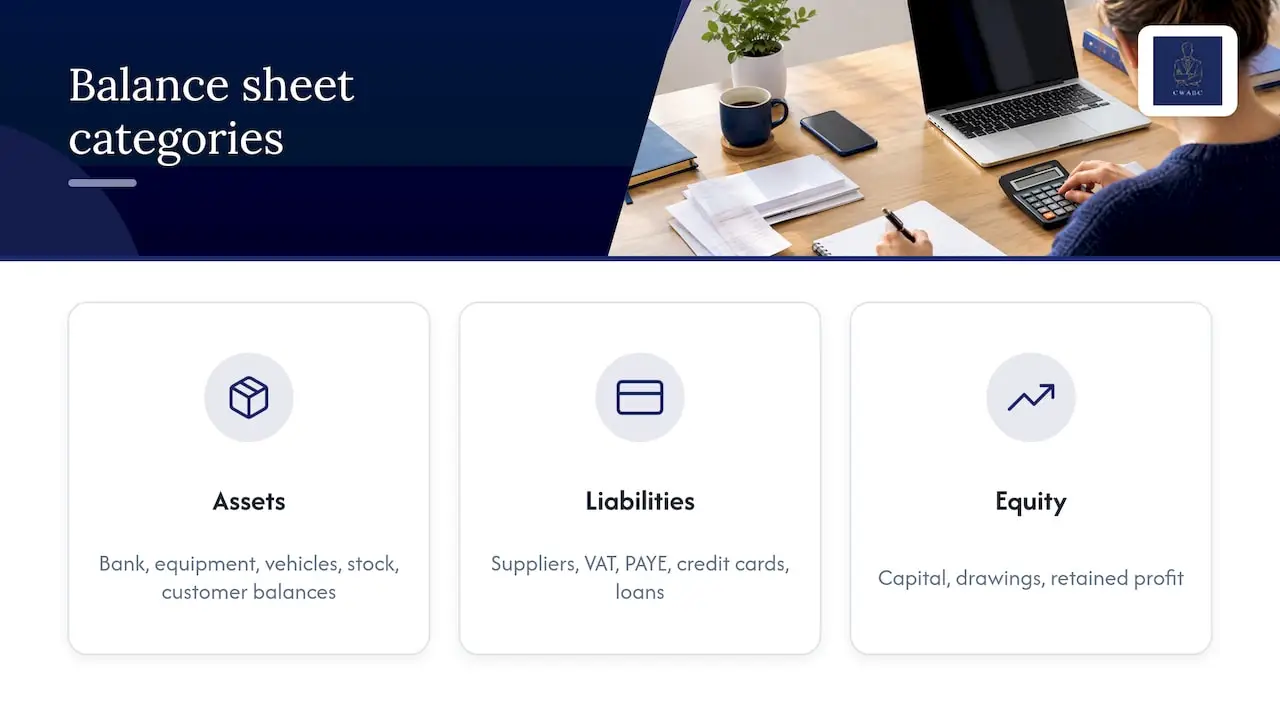
Liabilities include money owed to suppliers, VAT due to HMRC, PAYE and National Insurance due, credit cards, and loans. Splitting loans into short-term and long-term can be useful, but even a single clearly named account is better than none.
Equity is what is left. For a sole trader it is capital introduced, drawings and profit retained. For a limited company it is share capital and retained earnings, and in practice that is also where the effects of dividends show up.
A healthy balance sheet should tell a story you recognise. If your bank balance in Xero does not match your actual bank statement, or a loan account shows a balance you do not recognise, something has been coded in the wrong place.
VAT coding in Xero
If you are VAT-registered, every line you code has a tax rate attached as well as an account. Getting both right matters because the VAT return is built from them.
The common problem is lumping everything that is not standard-rated into zero-rated. Zero-rated and exempt are different things. Zero-rated supplies are still taxable supplies, taxed at 0%. Exempt supplies are outside the charge to VAT, and the two are treated differently in your records and, for some businesses, in your ability to reclaim VAT on costs. HMRC’s guidance on keeping VAT records is clear that zero-rated, reduced-rate and exempt items all need to be recorded. If a transaction is genuinely out of scope, such as a wage payment, it should not carry a VAT rate at all.
A few practical habits:
- Check the default tax rate on each account. Xero lets you set one, but it is a default, not a guarantee. Review each transaction.
- Be careful with bank rules. A rule that always codes a supplier at 20% will be wrong the first time they invoice you without VAT.
- Match the VAT on the bill to the VAT in Xero. If a supplier is not VAT-registered, you cannot reclaim VAT that was never charged.
- Reconcile your VAT control account to your return before you file.
If you want a refresher on the return itself, see my small business VAT return guide. If you are not sure whether you need to register at all, the VAT registration guide walks through it.
The big four mistakes: loans, dividends, director loans and misclassified costs
These are the ones that tend to cost people money or create tax questions.
1. Loans treated as income or expenses
Money borrowed is not income. If you take out a business loan and code the receipt to sales, your profit is overstated, and you may overpay tax. The loan belongs in a liability account. When you repay, the capital reduces the liability and only the interest goes to the Profit and Loss.
The same applies if you personally lend money to your own company. It is not income to the company. It is a liability, owed back to you.
2. Dividends coded as salary or expenses
Dividends are a distribution of profit to shareholders. They are not a business expense, and they do not reduce your Corporation Tax. GOV.UK sets out the rules in its guidance on taking money out of a limited company, including that a company must not pay out more in dividends than its profits.
In Xero, dividends should be recorded against equity, not in expenses. If they sit in the wrong place, your profit is understated and your accounts will not agree with your tax figures. Keep proper paperwork for each dividend too. This is an area where I would always suggest speaking to an accountant before you pay one, because whether the company has enough distributable profit depends on the full picture.
3. Director loan account entries done badly
A director’s loan account is simply a record of transactions between you and your company. GOV.UK describes a director’s loan as money you take from the company that is not a salary, dividend or expense repayment, or money you have previously paid in. The law requires you to keep a record of it.
Common errors I see:
- Paying for a business cost on a personal card and coding it as an ordinary expense with no link to the director. It should be recorded so that the company owes you the money back.
- Taking cash out for personal spending and leaving it in expenses or as an unexplained bank transaction.
- Never reviewing the balance until the year-end.
If the account ends the year with you owing the company money, there can be tax consequences. GOV.UK’s director’s loans guidance covers when and how this applies, including the rules around repayment. The point for your bookkeeping is simple: keep the account clear, check it each month, and do not wait until the accounts are due to find out where it stands. My monthly bookkeeping guide for limited company directors shows a routine that keeps this under control.
4. Misclassified expenses
Covered above, but worth repeating as a checklist. Before approving a transaction ask:
- Is it a cost of the business, or personal?
- Is it a cost this year, or something the business will own for years?
- Is it a cost at all, or a loan, dividend or drawing?
- Has the right VAT rate been applied?
Four questions take a few seconds and prevent most errors.
Opening balances: getting the starting point right
If you move onto Xero from spreadsheets or another package, you need to tell Xero where you stood on the day you start. That starting position is your opening balance sheet setup. Readers often search for this alongside “QuickBooks opening balances”, because the idea is the same in every cloud package: you are loading a snapshot of what you owned and owed on a particular date.
In practice that snapshot usually includes:
- Bank balances, agreed to your bank statements.
- Money owed by customers, listed invoice by invoice.
- Money owed to suppliers, listed bill by bill.
- VAT, PAYE and any loan balances.
- Fixed assets and their value.
- Equity, including retained profit brought forward, or for a sole trader, capital.
Here are the steps I would follow:
- Choose a clean start date, usually the start of a month or a tax year, so the cut-off is easy to explain.
- Take a trial balance or balance sheet from your previous system at that date.
- Set up the chart of accounts first, so every opening figure has a proper home.
- Enter the opening balances, with customer and supplier balances as individual invoices and bills, not one lump sum.
- Reconcile each bank account from the start date, and check that the Xero balance matches the statement.
- Run a balance sheet at the start date and compare it with your old figures. They should agree.
The most frequent mistake is entering balances before the chart is tidy. Figures then land in the wrong accounts and the error carries forward into every report. The second is forgetting outstanding invoices and bills, which leaves your debtors and creditors wrong. The third is not agreeing the opening position to the previous year’s accounts, so profit brought forward does not match what has already been filed.
An opening balance that does not agree to your last accounts is much easier to fix in week one than in month nine.
Why this matters for Making Tax Digital
Making Tax Digital for Income Tax is HMRC’s system for reporting income and expenses digitally using compatible software, with regular updates through the year instead of a single annual return. GOV.UK explains that from 6 April 2026 some sole traders and landlords must use it, based on their qualifying income from self-employment and property.
The thresholds are staged. The qualifying income threshold is £50,000 now, with £30,000 due from 6 April 2027 and £20,000 from 6 April 2028. You can check whether you are caught on GOV.UK’s page on finding out if and when you need to use it. Qualifying income is your total gross income from self-employment and property before expenses.
Why does this matter for your chart of accounts? Because quarterly updates summarise income and expenses by category. If your categories are messy, you will be fixing them under a deadline. If they are clean, the quarterly update is a review, not a rescue. For more, see my plain-English guides to MTD for income tax for sole traders and the Making Tax Digital requirements checklist.
Record keeping also has a legal side. HMRC’s guidance on keeping VAT records sets out what must be retained, and the research I use for this article notes a six-year retention period for business records. Whatever the size of your business, a tidy digital audit trail with receipts attached in Xero is the simplest way to meet that.

A short routine to keep the chart tidy
A good chart of accounts only stays good if you look after it. This takes about ten minutes a month:
- Open the account transactions report and look for an oversized “General” or “Sundry” account.
- Check the balance sheet for odd balances: loans you do not recognise, a director’s loan account moving unexpectedly, suspense or “uncategorised” balances.
- Review any new accounts added by staff or by bank rules. Archive duplicates.
- Reconcile the VAT account to your latest return.
- Look at your profit and loss against last month. Large unexplained jumps usually point to a coding error.
This is the sort of routine I build into the setup when I work with clients, so the file stays accurate without becoming a chore.
My view: the software is rarely the problem
I have a firm view on this, and it comes from the way I work with clients: the biggest barrier to effective bookkeeping is almost never the software. Xero is a capable tool. What goes wrong is the structure underneath it. When the chart of accounts is logical, bank feeds, rules and reports do their job. When it is not, automation just helps you make the same mistake faster.
That is why I start with the chart, not the bank feed. A short, well-named list, a clear separation of income streams from running costs, a director’s loan account that is understood, and VAT codes that match HMRC’s categories will do more for your confidence than any add-on.
I also think compliance should be a by-product of good bookkeeping, not a separate scramble at the deadline. If your records are organised from the start, Self Assessment, VAT and Making Tax Digital become reviews of work already done. My job is to take away the guesswork, explain things in plain English, and leave you understanding your own numbers.
— Chris
How I can help with your Xero set up
I am an AAT-licensed accountant and bookkeeper based in Hildenborough near Tonbridge. I work with sole traders, landlords, startups, limited companies, CICs and small employers in Kent and remotely across the UK, and clients deal with me directly.
For Xero, I can:
- Set up a chart of accounts that fits your business, rather than leaving you on a generic default.
- Review an existing file, looking for misclassified expenses, loans and dividends in the wrong place, director loan account problems and VAT coding errors.
- Tidy records so your reports are accurate and ready for HMRC.
- Load opening balances correctly when you move across from spreadsheets or another package.
- Train you to keep it up, so you are comfortable with it day to day.
You can read more about my accounting software setup and training, my bookkeeping services and my Making Tax Digital for Income Tax support. Pricing is agreed clearly up front, based on what you need. If you are starting a new business, my guide on setting up an accounting system is a good place to begin.
FAQ
How do I get to the chart of accounts in Xero?
In Xero, open the Accounting menu and choose Chart of accounts. You will see every account with its code, name, type, tax rate and year-to-date balance. From there you can add, edit or archive accounts, and import a list from a CSV file if you want to set up many at once.
Does Xero have a standard chart of accounts?
Yes. When you create a new organisation, Xero gives you a default list of accounts that you can change. It is a useful starting point, but it is generic, so most businesses add, rename or archive accounts to suit how they trade. Locked system accounts cannot be removed, though they can often be renamed.
What are the five main account types?
The five groups are income, expenses, assets, liabilities and equity. Income and expenses make up the Profit and Loss. Assets, liabilities and equity make up the Balance Sheet. Every account in your chart belongs to one of them.
How many accounts should a small business have?
There is no fixed number, but fewer is usually better. Create an account only if you will look at the total or if it needs separate tax treatment. Many small businesses are comfortable with a list in the region of a few dozen accounts, and I explain my approach in more detail in my Xero chart of accounts guide.
Can I change my chart of accounts part-way through the year?
Yes, and it is often worth doing. Renaming accounts is simple, and merging or archiving unused ones is usually straightforward. Moving past transactions between accounts needs more care, particularly if you have filed a VAT return that includes them, so check with your accountant first.
Need help?
If your Xero file feels messy, or you are about to start one and want to get it right, I would be happy to talk it through with you. I can review what you have, explain what needs fixing in plain English, and agree a clear price before any work starts. Get in touch through my contact page.
Sources
- Add or edit an account in your chart of accounts, Xero Central
- Locked and system accounts in your chart of accounts, Xero Central
- Keeping VAT records, GOV.UK
- Taking money out of a limited company, GOV.UK
- Fact sheet: Director’s loan accounts, GOV.UK
- Director information hub: Director’s loans, GOV.UK
- Use Making Tax Digital for Income Tax: Introduction, GOV.UK
- Find out if and when you need to use Making Tax Digital for Income Tax, GOV.UK