
Note: Per the owner instructions, I use “I” throughout for CWABC rather than “we”, since this is explicit owner guidance that takes priority.
Keep your Xero chart of accounts lean: build it around the five core account types, use a simple numbering system, name accounts clearly, and lean on tracking categories for extra detail instead of adding new ledger codes. From there, you’ll want to check your VAT defaults, separate personal drawings or director’s loans from genuine business expenses, and review the structure regularly so your reports stay useful rather than cluttered.
TL;DR:
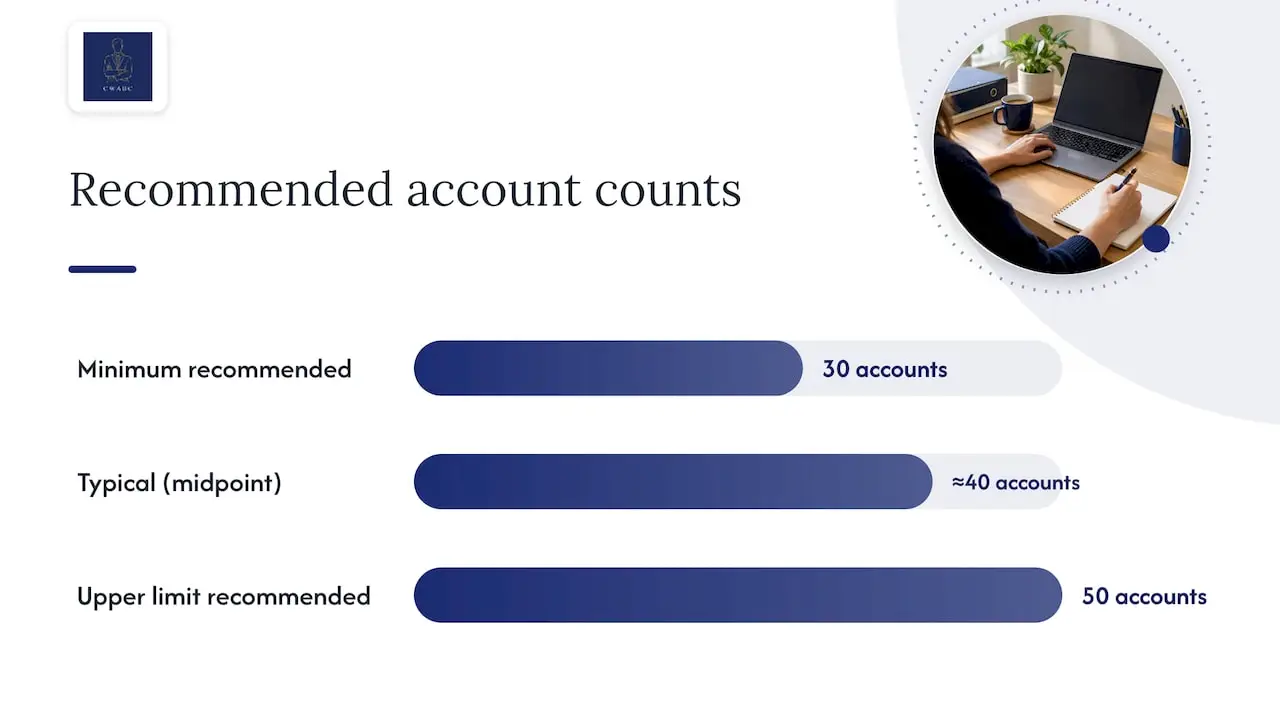
- Most small businesses should keep their chart of accounts between 30 and 50 accounts to maintain clarity and avoid confusion.
- Use Xero’s default account numbering within the ranges 1000 to 1999 for assets, 2000 to 2999 for liabilities, and so on, leaving gaps for future additions.
- Only create new accounts when a genuine reporting need arises; most detailed tracking can be handled through tracking categories instead.
- Always review and archive unused accounts annually and avoid deleting them to keep historical data intact for accurate reporting.
- Proper setup includes checking VAT defaults align with actual transactions, reconciling bank and VAT records regularly, and consulting an accountant for complex structures.
Table of Contents
- How to structure and number your chart of accounts
- Step-by-step: set up and customise Xero’s chart of accounts
- Account types explained with small-business examples
- VAT, Making Tax Digital and account default tax rates: what to check
- Sole trader drawings vs director’s loan accounts: why these are not business expenses
- When to use tracking categories instead of adding ledger accounts
- Maintaining the chart and common mistakes to avoid
- Author guidance and practical checks from an AAT-licensed bookkeeper
- Why I keep charts simple and what I check first
- How I can help set up or review your Xero chart of accounts
- FAQ
- Sources
- Need help?
- Authoritative links and primary sources
How to structure and number your chart of accounts
Xero’s default chart of accounts uses a standard numbering convention, and it’s worth sticking close to it rather than reinventing your own system. Most small businesses follow a range like this:
- 1000 to 1999: assets, such as bank accounts, debtors and equipment
- 2000 to 2999: liabilities, including creditors, loans and VAT owed
- 3000 to 3999: equity, covering capital introduced and retained profit
- 4000 to 4999: income, split by type of sale where that’s genuinely useful
- 5000 to 5999: direct costs (cost of sales), followed by overheads in the higher numbers within that band
Leave gaps between codes (4000, 4010, 4020 rather than 4000, 4001, 4002) so you can slot in a new account later without renumbering everything.
Group income so your profit and loss account actually tells you something. A plumber might separate “Labour income” from “Materials recharged to clients”, because the two behave differently and margins differ between them. A shop might split “Retail sales” from “Online sales” if that distinction drives real decisions. If it doesn’t change how you run the business, it probably doesn’t need its own line.
Most small businesses do fine with somewhere in the region of 30 to 50 accounts in total, adding more only when there’s a genuine reporting need. Before creating a new account, ask whether an existing one already fits, or whether a tracking category would give you the detail without the extra code. A new account for every supplier, every small cost, or every one-off project usually causes more confusion than clarity.
Step-by-step: set up and customise Xero’s chart of accounts
Start from Xero’s default chart rather than building from scratch. It already reflects standard UK reporting categories and sensible tax defaults, so review it before changing anything.
- Open the chart of accounts under your accounting settings, and read through the full list before editing.
- Decide what genuinely needs changing: rename a handful of accounts to match how you talk about your business, rather than renaming most of them.
- Add new accounts sparingly, giving each a clear name and the correct account type (revenue, direct cost, overhead, asset, liability or equity).
- Set the default VAT rate for each account based on how that type of transaction is usually treated.
- Archive accounts you no longer use rather than deleting them, so historical transactions stay intact and reports for past periods remain accurate.
- Test changes on a quiet period first, checking that your profit and loss and balance sheet still look sensible before relying on the new structure for live bookkeeping.
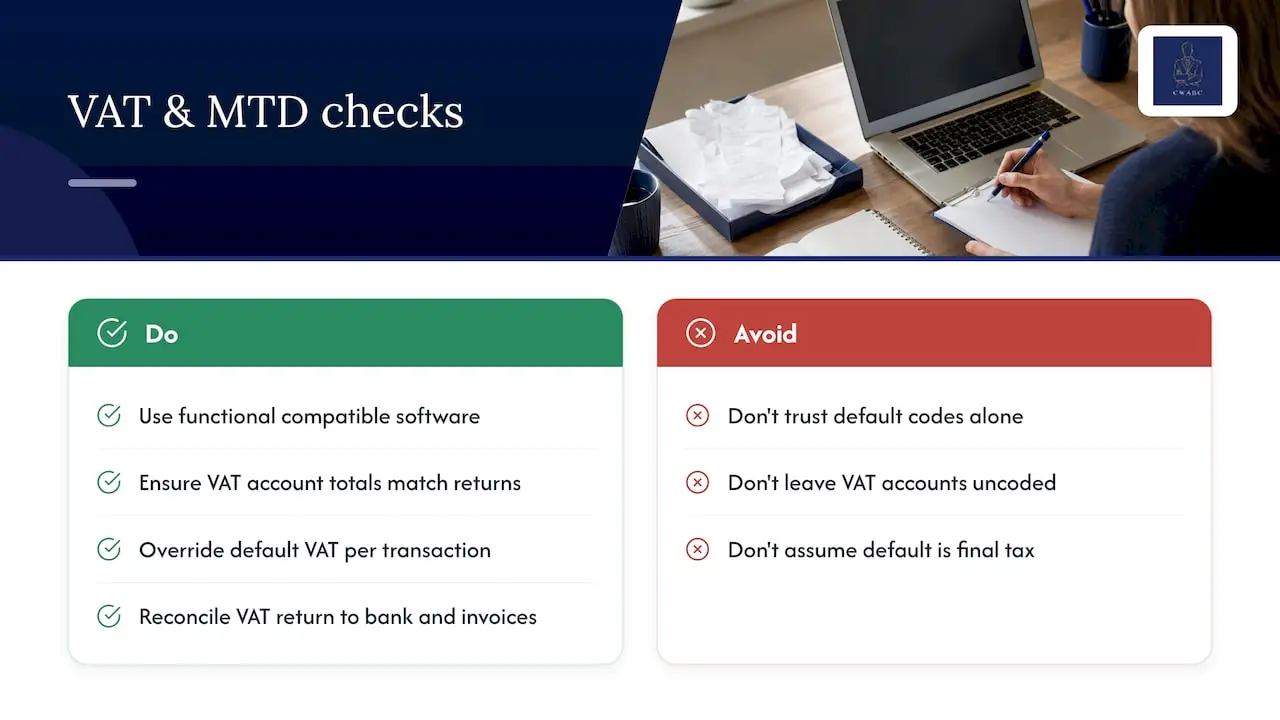
The default VAT rate on an account is a convenience that speeds up data entry. It doesn’t determine the correct tax treatment of any individual transaction, and you’ll still need to check that each invoice or bill carries the right VAT code for what actually happened.
Pro Tip: Before archiving an account with a long transaction history, pull up last year’s profit and loss report first and check it still renders correctly once the account is archived.
If you’re unsure whether a structural change will distort your reports, that’s a sensible point to bring in an accountant rather than guessing.
Account types explained with small-business examples
Every transaction in Xero sits under one of five account types, and understanding them makes the rest of the chart much easier to follow.
- Assets: things you own or are owed, such as a business bank account, equipment, or unpaid customer invoices.
- Liabilities: what you owe, including supplier bills, a bank loan, or VAT due to HMRC.
- Equity: the owner’s stake in the business, made up of capital introduced and retained profit.
- Revenue: income from trading, such as sales of goods, services, or consultancy fees.
- Expenses: costs of running the business, split between direct costs (cost of sales) and overheads.
A sole trader selling handmade furniture might code timber and hardware to “Cost of materials” (a direct cost), workshop rent to “Rent and rates” (an overhead), and a new saw to “Equipment” (an asset, not an expense, if it’s a significant purchase expected to last). A limited company paying for a design subscription codes that to “Software and subscriptions”, an overhead that sits apart from the direct cost of delivering client work.
How you code a transaction decides where it lands on your reports. Cost of sales reduces gross profit; overheads reduce net profit further down; asset purchases don’t touch profit at all, they sit on the balance sheet. This distinction matters for capital allowances too: buying a van outright is capital spending, generally relieved through capital allowances rather than claimed as a straightforward revenue expense in the year of purchase.
VAT, Making Tax Digital and account default tax rates: what to check
If you’re VAT-registered, Making Tax Digital requires you to keep digital VAT records in functional compatible software, with digital links between the records and your VAT return. Xero meets this requirement, but the chart of accounts still needs setting up correctly for the records behind each return to be reliable.
Your VAT account must show the total VAT on sales and purchases that supports each return you submit to HMRC, and getting the underlying coding wrong undermines that record even if the software itself is compliant.
The default VAT rate attached to an account in Xero is only a starting point for data entry, not a ruling on tax treatment. A “Sales” account might default to standard rate, but a specific sale could be zero-rated, exempt, or fall under partial exemption rules, and you’ll need to override the default on that transaction. This matters particularly for businesses with mixed supplies, where some income is standard-rated and some isn’t.
Before filing, reconcile the VAT return against your bank and invoice records rather than trusting the default codes alone. If you’re newly registered or close to the threshold, my checklist for Making Tax Digital requirements walks through what to prepare.
Sole trader drawings vs director’s loan accounts: why these are not business expenses
Drawings and director’s loans both involve money moving between the business and the individual, but they’re treated very differently, and neither is a business expense.
- Sole trader drawings are simply you taking profit out of a business you already own; there’s no separate legal entity, so drawings have no Corporation Tax or VAT effect and should never be coded to an expense account.
- A director’s loan account records money a limited company director takes from, or puts into, the company outside salary and dividends; under GOV.UK guidance on director’s loan accounts, this isn’t automatically a business expense and can carry tax consequences if the balance isn’t repaid or properly reported.
- A common mistake is coding a director’s personal purchase, like a holiday or a personal phone bill paid from the company account, directly to an overhead. It should go to the director’s loan account instead, and get reconciled at year end.
- An overdrawn director’s loan account left unpaid at the company’s year end can trigger additional Corporation Tax charges, so this is worth reviewing well before your accounts are finalised. My guide on bookkeeping for limited company directors covers this in more detail.
If you’re unsure whether a withdrawal should be drawings, a loan, or genuinely a business cost, that’s worth raising with an accountant before the figures get baked into your year-end accounts.
When to use tracking categories instead of adding ledger accounts
Tracking categories let you tag transactions by project, location, or department without multiplying your chart of accounts. Where a new ledger account changes your reporting structure permanently, a tracking category simply adds a filter you can switch on or off.
- Use tracking for jobs or projects, so you can see profitability per contract without separate income and cost accounts for each one.
- Use tracking for regions or branches if you operate from more than one site but sell broadly the same things.
- Use tracking to split income streams you want to analyse, like retail versus wholesale, without duplicating every account twice over.
Tracking data feeds into your profit and loss reports and sits alongside your VAT records, so it doesn’t complicate your Making Tax Digital obligations. Xero allows two tracking categories at a time, so keep the options within each one short and specific, perhaps five to ten values, rather than one per customer or supplier.
Pro Tip: If you’re tempted to create a new account “just for this one client”, a tracking category almost always does the job better and keeps your chart intact.
Maintaining the chart and common mistakes to avoid
A chart of accounts that worked well in year one can drift into a mess by year three if nobody reviews it.
- Review annually: archive accounts you haven’t used in the last year, rather than leaving them cluttering the list.
- Check for duplicates: two accounts doing the same job, perhaps “Office costs” and “Office supplies”, confuse reporting and should be merged where possible.
- Reconcile balances before archiving anything, so you know the account is genuinely empty of ongoing activity.
- Never delete an account with historical transactions; archive it instead so prior-period reports stay accurate and auditable.
- Test first: run last year’s reports after any structural change to confirm nothing has shifted unexpectedly.
The most frequent pitfalls I see are too many accounts, inconsistent naming between similar items, and VAT defaults applied without checking the actual transaction. My note on accurate bookkeeping and HMRC problems covers how small coding errors compound over a year.
Author guidance and practical checks from an AAT-licensed bookkeeper
As an AAT-licensed bookkeeper, when I review a client’s chart of accounts I’m checking for three things: whether the structure actually supports the reports they need, whether VAT defaults match real transaction patterns, and whether drawings or director’s loans are coded separately from genuine costs. A DIY setup is often fine for a straightforward sole trader; a limited company with mixed VAT treatment or multiple directors usually benefits from a professional review before anything gets locked into a year’s worth of bookkeeping.
Why I keep charts simple and what I check first
I’d rather see a client with twenty well-named accounts than fifty poorly organised ones. A common simplification I suggest is merging several near-identical overhead accounts, like three versions of “sundry expenses”, into one clear category, then using a tracking category for anything that needs finer detail. If you’re reviewing your own setup, start there.
— Chris
How I can help set up or review your Xero chart of accounts

If you’d rather have your Xero chart set up properly from the outset, I can provide practical, paperless support tailored to your needs.
- Accounting software setup and training: getting your chart, VAT codes and tracking categories right from day one.
- Ongoing bookkeeping: keeping the structure consistent as your business grows, through my bookkeeping services.
- Making Tax Digital support: making sure your records meet the digital requirements for VAT or Income Tax.
Pricing is agreed clearly upfront and tailored to what you actually need; please see my website for current details. If you’d like a straightforward conversation about your chart of accounts, get in touch and I’ll talk you through the options.
This article is general information, not a substitute for advice from a qualified financial advisor. Consult a qualified financial professional about your own circumstances before acting on anything here.
FAQ
How should the chart of accounts be organised?
Group accounts under the five core types (assets, liabilities, equity, income and expenses), use a consistent numbering range for each, and keep the total list lean. Reserve tracking categories for project, department or location detail rather than creating a new account for every variation.
How do I prepare financials in Xero?
Start from Xero’s default chart, check account types and VAT defaults match how your business actually trades, then run your profit and loss and balance sheet reports regularly to catch coding errors early. Reconcile bank accounts and VAT records before relying on any report for filing or decision-making.
What are common chart of accounts mistakes?
The most frequent errors are creating too many near-duplicate accounts, applying inconsistent names to similar costs, and trusting an account’s default VAT rate without checking the actual transaction. Deleting accounts with historical transactions, rather than archiving them, also distorts past reports.
Should the chart of accounts be the same for each business?
No. While most businesses benefit from the same five-type structure and a similar numbering logic, the actual accounts should reflect how that specific business earns income and incurs costs. A sole trader and a limited company with employees, for instance, need different liability and payroll-related accounts.
Sources
Need help?
If you’d like a second opinion on your Xero chart of accounts, or support getting your bookkeeping and VAT records properly organised, get in touch and I’ll be glad to help.
Authoritative links and primary sources
- Gov
- Gov
- What is a chart of accounts? | Xero UK
- Hiring an accountant: a small business guide – ICAEW
- Gov
- Gov
- Small business accounting: a practical guide for UK businesses | Xero UK
- Set up a chart of accounts | Xero bookkeeping guide