
To reconcile a VAT return to your bookkeeping, you prove that the figures in the nine boxes agree with the VAT recorded in your ledgers for the same period. You start with the VAT control account, compare it with the return, and explain every difference before you submit. It is a calm, repeatable check, and it is not the same job as reconciling your bank account. This guide shows the method I use, step by step, and how I handle differences without assuming the return is wrong.
TL;DR
- A VAT reconciliation compares the VAT return with the VAT recorded in your sales, purchase and nominal ledgers for the same period. The VAT control account is the main tool.
- Start with the dates. A mismatched date range is one of the commonest reasons a VAT report and a return disagree.
- Investigate before you correct. The difference may be a timing issue, a manual adjustment or an old VAT code, and the return may well be right.
- If you find an error before submitting, fix the records and note why. After submitting, HMRC’s correction rules apply, based on the size of the error.
- Keep the working papers with your VAT records for at least 6 years.
Table of Contents
- What a VAT reconciliation actually checks
- What you need before you start
- Step 1: Check the VAT period matches your reports
- Step 2: Understand the VAT control account
- Step 3: Reconcile the return to the control account
- Step 4: Check the VAT codes
- Step 5: Look for duplicates and outstanding items
- Step 6: Review journals and manual adjustments
- Step 7: Investigate differences without assuming the return is wrong
- Step 8: Document what you found
- Step 9: Correct errors, before and after filing
- Working in Xero, QuickBooks and FreeAgent
- A short monthly routine that keeps VAT clean
- My view on VAT reconciliation
- Do you need an accountant to do this?
- Need help with your VAT reconciliation?
- FAQ
- Sources
What a VAT reconciliation actually checks
Most small businesses reconcile their bank account every month. Fewer reconcile their VAT. That is understandable, because the VAT return often looks finished once the software has produced the figures. But the software only totals what has been coded. If the coding is wrong, the return is wrong too, and it will look perfectly tidy.
A VAT reconciliation checks that the transactions included in the return agree with the vatable transactions recorded in the sales, purchase and nominal ledgers. In plain English: does the VAT on the return match the VAT in your books, and can you explain any gap?
This is different from bank reconciliation:
| Bank reconciliation | VAT reconciliation | |
|---|---|---|
| What it proves | Your books agree with the bank statement | Your VAT return agrees with the VAT in your books |
| Compared against | Bank statement or feed | VAT control account and VAT reports |
| Typical errors found | Missing or duplicated bank lines | Wrong VAT codes, out-of-period entries, stray journals |
| Can pass while the other fails? | Yes | Yes |
Your bank can be perfectly reconciled while the VAT is wrong. A supplier invoice coded as “no VAT” still matches the bank payment, but you have lost the VAT you could have reclaimed. That is why I treat the two checks as separate steps in my month-end routine.
What you need before you start
Gather these items first. It keeps the job short.
- The draft VAT return for the period, with all nine boxes
- The VAT control account (or VAT account) transactions for the same dates
- Sales and purchase VAT reports for the period
- A list of journals posted to VAT accounts
- Any calculations kept outside the software, such as a partial exemption working or a bad debt relief schedule
GOV.UK says VAT-registered businesses must keep a VAT account showing, among other things, the total VAT on sales, the total VAT on purchases, and the VAT owed to or reclaimable from HMRC. If you use a flat rate scheme, the account also needs the scheme details. Your accounting software normally builds this for you, but it is worth knowing what it should contain.
Step 1: Check the VAT period matches your reports
This sounds obvious, and it is where many differences begin. The VAT return covers a set accounting period, for example 1 July to 30 September. Every report you compare must use exactly those dates.
Transaction reports can mismatch the return if they were generated with a different date range from the VAT period. A report run to 1 October instead of 30 September is enough to throw the figures out.
Also check that the period is locked or at least that nobody has back-dated entries into it since the return was drafted. In Xero, QuickBooks and FreeAgent, a draft or filed VAT return can end up out of step with the ledger if someone edits a transaction dated inside the period afterwards. I always run the VAT report again on the day I file, not just when I first prepare the return.
Step 2: Understand the VAT control account
The VAT control account is the running balance of VAT you owe to, or are owed by, HMRC. Output VAT (on sales) increases what you owe. Input VAT (on purchases) reduces it. When you pay HMRC, or HMRC repays you, the balance clears.
HMRC’s compliance guidance describes two common set-ups: a single account for all VAT transactions, or three accounts separating input tax, output tax and a control account. In the three-account version, the control account clears the input and output balances and is itself cleared by the payment to HMRC.
Most small business software uses a single VAT account. The idea is the same. At the end of the period, the movement on that account should equal the net VAT shown on the return (box 5), apart from items you can explain.
Step 3: Reconcile the return to the control account
Here is the core method. A simple version is to add the VAT on sales invoices and take off the VAT on sales credit notes. Then do the same for purchases, and compare the net figure with the VAT control account movement.
Here is an invented worked example to show the layout. The numbers are made up purely for illustration.
| Line | Amount |
|---|---|
| VAT on sales invoices in the period | £6,400 |
| Less VAT on sales credit notes | (£400) |
| Output VAT per ledger | £6,000 |
| VAT on purchase invoices in the period | £2,500 |
| Less VAT on purchase credit notes | (£100) |
| Input VAT per ledger | £2,400 |
| Net VAT per ledger (output less input) | £3,600 |
| Net VAT per draft return (box 5) | £3,600 |
| Difference | £0 |
When the difference is nil, you move on to a quick sense check. When it is not, you have a reconciling difference, and the next steps tell you where to look.
How the return boxes line up
I also compare each box, not just the net figure, because two errors can cancel each other out in box 5.
- Box 1 should agree with output VAT on sales for the period.
- Box 4 should agree with input VAT on purchases and expenses.
- Box 6 should agree with net sales excluding VAT.
- Box 7 should agree with net purchases excluding VAT.
Boxes 2, 8 and 9 relate to EU-related transactions and are usually zero for a domestic business, but check that they are, if you trade across the Northern Ireland border or import goods. If you are new to the layout, my small business VAT return guide walks through each box.
A useful sense check: divide box 1 by box 6. If most of your sales are standard rated at 20%, the result should sit near 20%. A result far from that is a prompt to look for zero-rated, exempt or mis-coded sales, or a sales invoice with no VAT on it.
Step 4: Check the VAT codes
Incorrect VAT codes are, in my experience of reviewing books, the most common reason a return does not make sense. HMRC’s guidance lists old or invalid tax codes among the common risks, along with out-of-period invoice dates and duplicate postings. The same guidance recommends checking tax points and return-box coding.
Practical checks in Xero, QuickBooks or FreeAgent:
- Run the VAT summary or VAT return detail for the period and sort by VAT rate or code.
- Look at anything coded “no VAT”, “out of scope” or “exempt”. Does each line really belong there?
- Look at zero-rated items. Are they genuinely zero-rated, or just coded that way because the supplier invoice had no VAT shown?
- Check that bank-feed transactions coded quickly (fuel, subscriptions, software) carry the right treatment.
- Check any new supplier or customer where the default VAT code was set by the first transaction.
For construction work, the domestic reverse charge changes who accounts for the VAT, so the coding needs particular care. My guide to VAT reverse charge checks before coding covers it. If your business has exempt income as well, the partial exemption position affects how much input VAT you can reclaim.
Step 5: Look for duplicates and outstanding items
The next group of differences comes from entries that are in the books twice, or not yet in at all.
Duplicate entries. A bill can be entered manually and then arrive again through a bank feed or an imported invoice. The VAT is claimed twice. Search the period for the same supplier, the same amount and similar dates.
Outstanding transactions. An invoice you received in September but have not yet entered will not be in the return. Check your email, shared folders and any receipt-capture inbox for unposted documents. Check draft invoices and bills too. A draft that never got approved will not appear in the VAT figures, and neither will its VAT.
Out-of-period dates. An invoice dated in October for work done in September may belong in the earlier return, depending on its tax point and your VAT accounting scheme. If you account on a cash basis, the payment date drives it instead. Check which scheme you are on before deciding.
Credit notes. A credit note recorded against the wrong period, or not recorded, will leave the sales or purchase VAT overstated.
Step 6: Review journals and manual adjustments
VAT accounts should mostly be moved by invoices, bills and credit notes. Anything else is a manual entry, and I look at each one.
HMRC says manual adjustments can come from consolidating systems, general ledger journals, error corrections, miscellaneous billing or purchases, bad debts and partial exemption. It also says supporting calculations made outside the accounting software should be kept as an audit trail.
For direct journals, HMRC’s guidance suggests checking authorisation, the description, VAT coding and calculation, posting to the correct VAT account, inclusion in VAT reporting, the correct tax point date, and any rejected or held journals.
I turn that into a short checklist for each journal touching VAT:
- Who posted it and why?
- Is there a description a stranger would understand?
- Is the VAT calculated correctly?
- Did it land in the VAT account, and does it reach the return?
- Is there a working paper saved with it?
If an adjustment has been made outside the software, HMRC’s Making Tax Digital guidance says adjustments must be recorded in functional compatible software. Calculations can be done elsewhere, but using the software for all of them reduces the risk of return errors.
Step 7: Investigate differences without assuming the return is wrong
This is the part people get nervous about. A difference does not mean the return is wrong. I find it helps to work through the possible causes in a fixed order, from the simplest to the most involved.
- Dates. Re-run both reports using the exact VAT period.
- Report settings. Check whether the VAT report includes or excludes reconciled, draft or archived items, as set by your software.
- Timing. Is there a legitimate cut-off item, for example a payment in the VAT account for the previous period’s liability?
- Payments to HMRC. The control account balance includes payments and repayments. The return does not. Strip them out before comparing.
- Journals. Review each as in step 6.
- Coding. Compare the VAT rate on each line with the underlying document.
- Duplicates and missing items. As in step 5.
- Rounding and currency. HMRC lists non-sterling currency set-up, rounding and accounting precision among the points to control, so a few pence can be genuine.
The point of the order is to avoid editing the return to “make it fit”. I never force a balance with a plug figure. Every difference gets one of three outcomes:
- Explained and correct. The return is right, and I note why the ledger differs (for example, payment of last quarter’s VAT).
- Error in the books. I correct the records before filing.
- Open query. I ask you for the missing invoice or confirmation, and the return waits.
For a deeper look at tidying books before a return, see my bookkeeping clean-up checklist.
Step 8: Document what you found
Good documentation is what turns a reconciliation into evidence. For each period I keep:
- the reconciliation schedule, showing the ledger VAT, the return figures and the difference
- an explanation line for each reconciling item
- copies of any outside calculations, such as partial exemption or bad debt relief workings
- the date and reason for each correction made to the books
- the final filed return and the HMRC receipt
HMRC’s guidance says that documenting a VAT correction needs an explanatory note with the date, reason and amount of the error. I follow the same pattern for corrections found before filing, because it costs nothing and helps a year later when you cannot remember why a journal exists.
GOV.UK says you must keep VAT records for at least 6 years, or 10 years if you use the One Stop Shop or Mini One Stop Shop schemes. My article on how long to keep tax records covers wider retention rules.
Step 9: Correct errors, before and after filing
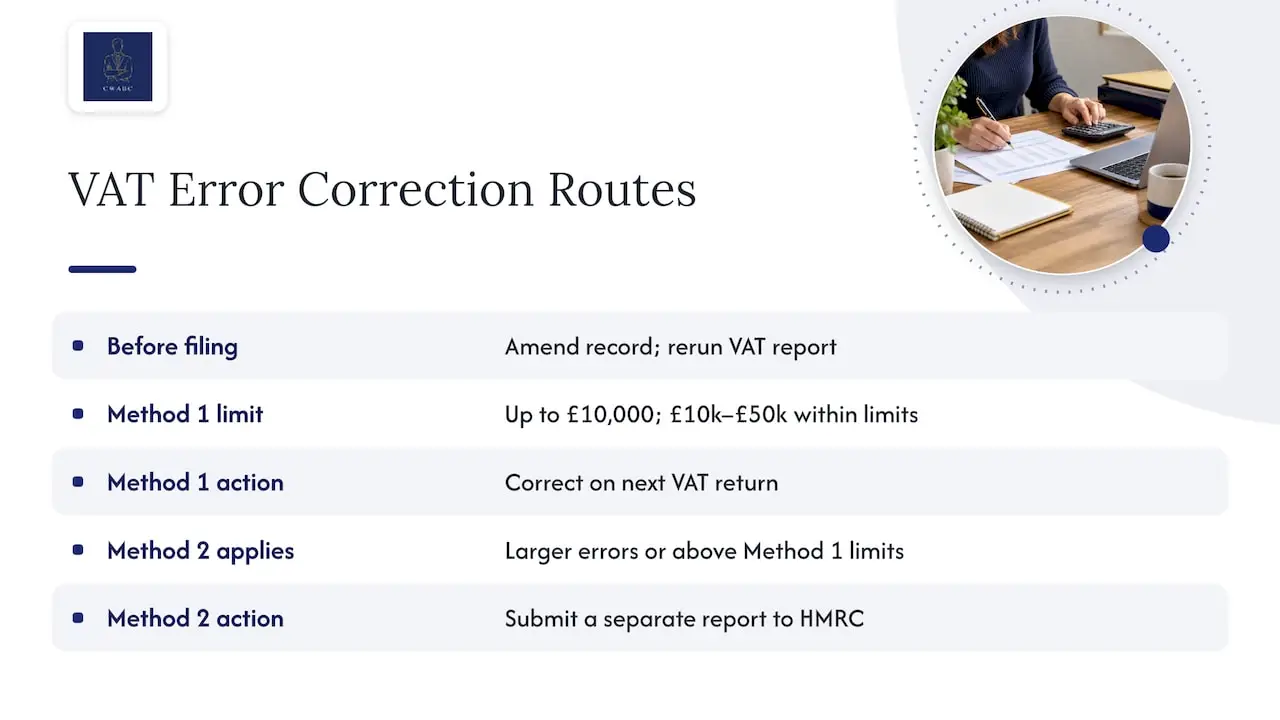
The timing of discovery changes what you do.
Found before you submit. Amend the underlying record, re-run the VAT report, and write a short note of the reason. Nothing needs to go to HMRC, because the return has not been filed yet.
Found after you submit. HMRC’s VAT error guidance sets out two routes. Method 1 applies to net errors up to £10,000, or between £10,000 and £50,000 within specific limits, and is made on your next VAT return. Method 2, a separate report to HMRC, applies to larger errors or those above the Method 1 limits. You also keep a record of when you found the error, the period affected, and the supporting documents.
One trap: corrections to earlier returns must be included in the current return as the rules require, and must not duplicate a correction already notified to HMRC. That is another reason the control account and the journals need to be reconciled, so an adjustment is not made twice.
I have separate guides on fixing VAT return errors online, a checklist for the £10,000, 1% and £50,000 tests, and VAT errors and penalties. Whether a particular mistake counts as careless or needs a disclosure depends on the facts, so for anything sizeable, speak to an accountant before you file.
Working in Xero, QuickBooks and FreeAgent
The three main packages differ in menus, but the logic is the same.
- Xero: I compare the VAT return report with the VAT account in the balance sheet and the account transactions report, using the same dates. The aim is for the return to agree with the account, apart from payments and explained items.
- QuickBooks: I compare the VAT return or VAT liability report with the VAT control account in the chart of accounts, and review any journals posted to it.
- FreeAgent: I compare the VAT return with the VAT-related entries in the accounts, and check explanation lines for unusual items.
In all three, the common mistakes are the same: a default VAT code applied to bank-feed items, a journal posted straight into the VAT account, or a report run to the wrong dates. If you want help setting any of these up properly, see my accounting software setup in Kent page.
A short monthly routine that keeps VAT clean
Reconciling once a quarter is far harder than reconciling little and often. This is a routine I recommend:
- Reconcile the bank as usual each month.
- Scan the VAT account for entries that do not look like invoices or bills.
- Review items coded to no VAT or zero VAT.
- Process or chase any unposted invoices.
- At quarter end, produce the reconciliation schedule, resolve differences, then file.
GOV.UK says a VAT-registered business must send a return even when there is no VAT to pay or reclaim, and the usual online deadline is one calendar month and seven days after the end of the accounting period. Doing the reconciliation a little at a time means the deadline is no longer a rush.
If your books are generally in a mess, my guide on accurate bookkeeping and avoiding HMRC problems is a good place to start, and limited company directors may like the monthly bookkeeping routine.
My view on VAT reconciliation
I think VAT is where good bookkeeping pays for itself. The return is only a summary, and a summary is only as reliable as the records underneath it.
When I reconcile a client’s VAT, I start from a simple question: can I explain every pound of difference? If I can, the return can be filed with confidence. If I cannot, I keep looking, and I do not guess.
I also try not to rush to blame the return. Many differences are simply timing, a payment to HMRC sitting in the control account, or a journal with no note. Calm, ordered checking finds them quickly.
Because clients deal directly with me, I can see your books in your own cloud software, explain what I found in plain English, and agree the fix with you before anything goes to HMRC. That is the practical, jargon-free service I want every client to have.
Chris
Do you need an accountant to do this?
No. An accountant or tax agent can work out and send VAT returns, but you should check them and remain responsible for their correctness. Plenty of owners reconcile their own VAT using the steps above. Some prefer to hand it over because the quarter-end pressure is not worth the saving, or because the books need cleaning up first.
Need help with your VAT reconciliation?
If you would rather not do this alone, I can help. I prepare VAT returns for clients across Tonbridge, Sevenoaks and the rest of Kent, and remotely throughout the UK. Each one is reconciled to the underlying books before submission, using Xero, QuickBooks or FreeAgent.

If the reconciliation keeps turning up the same problems, the cause is usually in the day-to-day records. My bookkeeping services keep VAT codes, bank feeds and supplier bills tidy through the quarter. You can also see my wider accounting and VAT services. Pricing is agreed clearly upfront, based on your needs.
When you are ready, get in touch here and tell me a little about your business and VAT scheme. I will reply as soon as I am able and talk you through the next step.
FAQ
How do you reconcile VAT?
Match the VAT period to your reports, then total the VAT on sales less credit notes and the VAT on purchases less credit notes. Compare the net figure with the movement on the VAT control account and the return. Investigate any difference and note the reason.
How long do I need to keep VAT records?
GOV.UK says at least 6 years, or 10 years if you use the One Stop Shop or Mini One Stop Shop schemes. Keep the reconciliation workings and any outside calculations with the VAT records.
What if the VAT control account does not match the return?
Do not assume either is wrong. Check the dates, payments to or from HMRC, journals, VAT codes, duplicates and unposted invoices. Correct genuine errors in the records before filing, and record the reason.
Is VAT reconciliation the same as bank reconciliation?
No. Bank reconciliation proves your books agree with the bank. VAT reconciliation proves the return agrees with the VAT recorded in your ledgers. One can be correct while the other contains errors.
What if I find a mistake after filing?
HMRC’s rules depend on the size of the error. Smaller net errors can usually be corrected on your next return (Method 1). Larger ones need a separate report to HMRC (Method 2). Keep a record of when you found it and why.
Sources
- Charge, reclaim and record VAT: Keeping VAT records – GOV.UK
- VAT reporting (part 7) – GOV.UK
- VAT reporting, manual adjustments (part 8) – GOV.UK
- Record to report (part 6) – GOV.UK
- How to correct VAT errors and make adjustments or claims (VAT Notice 700/45) – GOV.UK
- VAT Notice 700/22: Making Tax Digital for VAT – GOV.UK
- Sending a VAT Return – GOV.UK
- How to Complete a VAT Return – Tax Confident
- Review and reconcile your VAT Return – Sage 200 help
- VAT control account and returns – PastPaperHero
Recommended
- VAT Errors and Penalties: How to Find and Correct Mistakes
- Fix VAT return errors online: HMRC’s digital route for UK businesses
- VAT return explained: small business guide for 2026
- Accurate bookkeeping: save tax and avoid HMRC problems
This article provides general information based on UK tax and accounting rules at the time of publication. It is not a substitute for advice tailored to your individual circumstances. Tax legislation and HMRC guidance may change. If you need advice about your specific situation, please contact me at CW Licensed Bookkeeper & Accountant.