
Do these six things now to stop common bookkeeping errors and stay HMRC-compliant: open a dedicated business account, set up MTD-compatible software with bank feeds and receipt capture, create a lean Chart of Accounts, reconcile your bank monthly, keep digital copies of all source documents, and block out a weekly 15–30 minute bookkeeping slot. Each action targets a specific mistake that regularly trips up sole traders and freelancers across the UK.
Here is what each action prevents:
- Open a dedicated business account. Eliminates the single biggest source of persistent errors: personal and business transactions mixed together in one account.
- Set up MTD-compatible software with bank feeds. Removes manual data entry, which is where most miscoding happens.
- Create a lean Chart of Accounts. Gives every transaction a clear home, so you code consistently every week rather than guessing.
- Reconcile monthly. Catches timing differences, duplicates, and missed transactions before they compound into a year-end problem.
- Keep digital copies of receipts and invoices. Satisfies HMRC’s record-keeping requirements and means you never lose evidence for a claimed expense.
- Book a weekly 15–30 minute slot. Turns bookkeeping from a quarterly panic into a calm, manageable routine.
A sole trader who previously spent an entire weekend before their Self Assessment deadline sorting a shoebox of receipts can reduce that to ten minutes of weekly matching once bank feeds and receipt capture are running. The habit is the fix.
Table of Contents
- What bookkeeping errors do UK sole traders make most often?
- How to build a simple monthly bookkeeping routine
- Which software features actually reduce bookkeeping mistakes?
- What does HMRC require, and how long must you keep records?
- When should you get professional help with your books?
- Your printable bookkeeping checklist
- Key takeaways
- The habit most sole traders overlook
- Cwabc: straightforward bookkeeping support for sole traders
- Useful sources and further reading
- Need help?
What bookkeeping errors do UK sole traders make most often?
The mistakes below appear repeatedly in HMRC enquiries and late-filing situations. Each one has a quick fix and a longer-term habit that prevents it coming back.
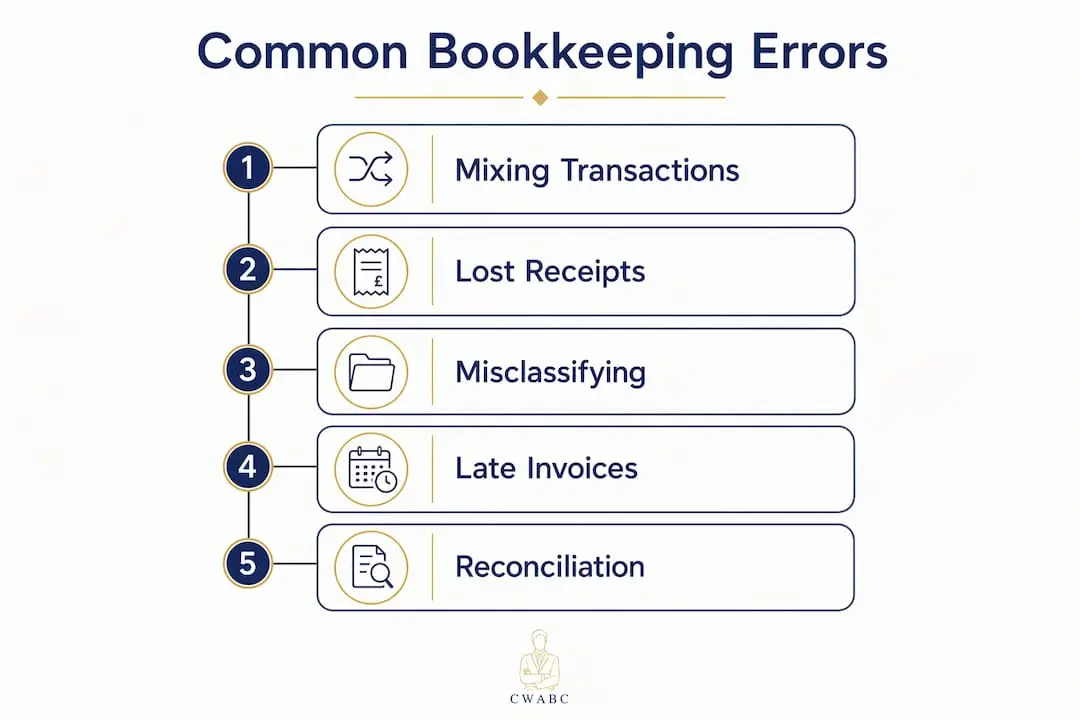
Mixing personal and business transactions
This is the most common and most damaging error. When personal spending sits alongside business expenses in the same account, it becomes almost impossible to produce an accurate profit figure without manually reviewing every line. HMRC expects a clear audit trail, and a blurred account makes that very difficult to provide.

Immediate fix: Open a free or low-cost business current account today. Move all business income into it and pay all business expenses from it. Transfer money to your personal account as a single “drawings” payment so the boundary is always clear.
Durable habit: Never pay a personal bill from your business account, even once. A dedicated business account removes the confusion at source and makes reconciliation far quicker.
HMRC implication: If HMRC opens an enquiry and finds personal and business transactions mixed together, it may estimate your income upwards. Keeping a clean account is your first line of defence.
Poor record-keeping and lost receipts
A missing receipt means you cannot prove an expense was wholly and exclusively for business purposes. HMRC can disallow the claim, and if the pattern is widespread, it may trigger a penalty of up to £3,000 for failure to keep adequate records.
Immediate fix: Download a receipt capture app such as Dext or Receipt Bank. Photograph every receipt the moment you receive it. The app uses OCR to read the data and push it straight into your accounting software.
Durable habit: Never let a paper receipt leave your bag unscanned. Set a rule: if it is not in the app, it does not exist.
Misclassifying expenses
Coding a client lunch as “office supplies” or a personal phone contract as “telephone” distorts your profit and loss report and can lead to incorrect tax relief claims. Over time, inconsistent coding makes your accounts unreliable for decision-making and harder for an accountant to review.
Immediate fix: Check your Chart of Accounts (see the next section) and recode any obvious errors before your next reconciliation.
Durable habit: Use automatic category rules in your software so recurring transactions are coded the same way every time. Review the common sole trader tax return errors that stem directly from miscoded expenses.
Missing or late invoices
An invoice raised three months after the work was done creates a cash flow gap and can push income into the wrong tax year under traditional accounting. Under cash basis (the default from the 2024 to 2025 tax year), the timing of actual receipts matters, but a missing invoice still means you cannot chase payment or prove the transaction.
Immediate fix: Raise invoices on the day work is completed or delivered. Use your accounting software’s invoice module so every invoice is numbered, dated, and stored automatically. For guidance on invoice setup, the invoicing best practices guide covers the essentials.
Durable habit: Check your outstanding invoices every week during your bookkeeping slot and chase anything overdue.
Not reconciling bank accounts
Skipping reconciliation allows small errors to compound. A duplicated transaction in January becomes a £400 discrepancy by December, and by then it takes hours to trace. Bank reconciliation matches every line in your software to the corresponding line on your bank statement, revealing duplicates, timing differences, and transactions you forgot to record.

Immediate fix: Run a reconciliation now, even if it covers several months at once. Note every unmatched item and investigate each one.
Durable habit: Reconcile at the end of every calendar month, not just at year-end.
Not budgeting for tax
Self-employed people pay Income Tax and Class 4 National Insurance through Self Assessment, plus Class 2 National Insurance. There is no employer deducting tax at source. Forgetting to set money aside is not a bookkeeping error in the traditional sense, but it is a financial planning failure that bookkeeping can prevent.
Immediate fix: Set up a separate savings pot or account labelled “tax.” After each payment you receive, transfer a percentage across. A tax payment budget plan can help you work out the right percentage for your income level.
Durable habit: Treat your tax pot as untouchable until the 31 January and 31 July payment deadlines.
How to build a simple monthly bookkeeping routine
A tight weekly and monthly routine is the single most effective habit for catching errors early and avoiding HMRC adjustments. The steps below take roughly 15–30 minutes per week and 30–90 minutes at month-end.
Weekly routine (15–30 minutes)
- Open your accounting software and import or confirm the bank feed has updated.
- Match new transactions to receipts or invoices in your receipt capture app.
- Code any unmatched transactions using your Chart of Accounts.
- Raise any invoices for work completed that week.
- Chase any invoices overdue by more than 14 days.
Month-end routine (30–90 minutes)
- Confirm the bank feed covers the full month.
- Complete any remaining transaction matching.
- Run the bank reconciliation and clear every unmatched item.
- Review the profit and loss report: does it look right? Any unusual spikes?
- Transfer your estimated tax liability to your tax savings pot.
- Back up your data (export a report or confirm cloud backup is active).
- Note any transactions you are unsure about and ask your accountant.
Sample lean Chart of Accounts
A lean Chart of Accounts reduces miscoding and makes handovers to an accountant far simpler. The table below covers the categories most sole traders need. Add a new category only when an existing one genuinely does not fit.
| Category | What goes here |
|---|---|
| Sales / income | All invoiced income and cash receipts from your trade |
| Cost of sales | Materials, subcontractors, or stock directly tied to delivering your service |
| Motor expenses | Fuel, servicing, insurance (business proportion only) |
| Software and subscriptions | Accounting software, cloud tools, professional subscriptions |
| Home use (use of home) | A proportion of home costs where you work from home |
| Telephone and internet | Business proportion of phone and broadband |
| Marketing and advertising | Website costs, ads, printed materials |
| Professional fees | Accountant, bookkeeper, legal fees |
| Drawings | Money transferred to your personal account |
Keep categories broad at first. Splitting “motor expenses” into ten sub-categories creates inconsistency and confusion; one well-named category is far more useful.
Pro Tip: When a transaction is partly personal and partly business (for example, a mobile phone contract), record the full amount under the relevant category and add a note with the business-use percentage. Your accountant can apply the correct split at year-end rather than you guessing mid-year.
Which software features actually reduce bookkeeping mistakes?
The right software does not just store your records; it actively prevents errors. These are the features that matter most for sole traders.
- Automatic bank feeds. Your bank transactions appear in your software daily without manual import. This removes transcription errors and means you never miss a transaction.
- Receipt capture with OCR. Apps such as Dext read receipt data automatically and attach the image to the transaction. Receipt capture tools remove the need to keep paper copies and push coded data straight into your accounts.
- MTD compatibility. From 6 April 2026, sole traders with qualifying income above the relevant threshold must use MTD-compatible software to keep digital records and submit quarterly updates. Check the HMRC-approved software list before you commit to a platform.
- Automatic category rules. You can tell the software “every payment to [supplier name] goes to Software and subscriptions.” The rule applies automatically from then on, eliminating repeated miscoding.
- Mileage logging. A built-in mileage tracker records business journeys in real time, which is far more reliable than reconstructing mileage from memory at year-end.
HMRC-approved UK platforms that support all of these features include Xero, QuickBooks (UK), and FreeAgent. Each integrates with receipt capture apps and supports MTD quarterly submissions. For hands-on help choosing and configuring the right platform, the accounting software setup service covers Xero, FreeAgent, and QuickBooks for sole traders in Kent and beyond.
Users of automatic matching tools have reported saving several hours per week on reconciliation. Even a fraction of that saving makes the monthly subscription worthwhile.
Software setup checklist:
- Connect your business bank account via the bank feed.
- Install a receipt capture app and link it to your accounting software.
- Create at least three automatic category rules for your most frequent suppliers.
- Enable mileage tracking if you use a vehicle for work.
- Confirm your accounting basis (cash or traditional) before importing historical data.
One caution on migration: if you are moving from a spreadsheet to software mid-year, check whether your accounting basis is set correctly. Cash basis is the default from the 2024 to 2025 tax year, but if you previously used traditional accounting, switching without adjusting opening balances can create errors. Your bookkeeper or accountant can handle this in under an hour. For a broader look at bookkeeping tools for self-employed workers, the Cwabc guide covers setup steps in detail.
What does HMRC require, and how long must you keep records?
Making Tax Digital for Income Tax Self Assessment (MTD for ITSA) is changing how sole traders report income to HMRC. Under MTD for ITSA, you must keep digital records and submit quarterly updates to HMRC using compatible software. From 6 April 2026, this applies to sole traders and landlords whose qualifying income exceeds the relevant threshold. HMRC will write to you if your income from the 2024 to 2025 tax return puts you above the threshold, but it remains your responsibility to check.
Quarterly updates are summaries of your income and expenses for each three-month period. They are not tax returns. Your final tax return is still due by 31 January the following year. For a full walkthrough of the submission schedule, the MTD quarterly reporting guide sets out the exact deadlines.
HMRC’s position on digital records: “Keeping digital records helps you to identify any mistakes early.” MTD for ITSA aims to modernise tax processes and reduce the tax gap by requiring digital records and regular reporting throughout the year, rather than a single annual return.
Record retention: how long is long enough?
| Situation | How long to keep records |
|---|---|
| Standard Self Assessment return | At least 5 years after the 31 January submission deadline for the relevant tax year |
| Late-filed return | Longer: until HMRC can no longer open an enquiry |
| HMRC enquiry open | Until the enquiry is formally closed |
| Records supporting a specific claim | As long as the claim could be challenged |
For most sole traders, this means keeping records from the 2024 to 2025 tax year until at least 31 January 2031. Digital storage makes this straightforward: a cloud folder costs nothing and cannot be lost in a house move.
Urgent actions if you are not yet MTD-compliant:
- Use the GOV.UK tool to confirm whether and when MTD applies to you.
- Choose an HMRC-approved software platform and sign up before your start date.
- Move existing records into a digital folder, organised by tax year.
- Schedule your four quarterly update slots in your calendar now.
- Use the MTD requirements checklist to confirm you have covered every step.
When should you get professional help with your books?
DIY bookkeeping works well when your income is straightforward and your transactions are few. These signs suggest it is time to bring in a bookkeeper or accountant.
- Repeated reconciliation errors you cannot trace. If your accounts never quite balance and you cannot find why, a professional will usually spot the pattern within an hour.
- VAT, payroll, or CIS obligations. Each of these adds a layer of compliance that significantly increases the risk of errors and penalties.
- An HMRC enquiry. If HMRC writes to you questioning your return, get professional support immediately. An accountant who knows your records can respond accurately and calmly.
- Bookkeeping taking more than two hours a week. At that point, the cost of professional help is almost certainly less than the value of your time.
- Incorporation or growth planning. Moving from sole trader to limited company changes your accounting obligations significantly.
For a structured self-assessment, the 5 signs your bookkeeping needs professional help page walks through each trigger in plain terms.
What does professional bookkeeping cost in the UK?
Fees vary by region, complexity, and the scope of work. As a general guide:
- Monthly bookkeeping packages for sole traders with straightforward accounts typically range from around £50 to £150 per month, depending on transaction volume.
- Annual accounts and Self Assessment only (where you maintain your own records) tends to cost less, often in the range of £200 to £500 per year for a sole trader.
- Hourly rates for ad hoc bookkeeping support generally fall between £25 and £60 per hour across the UK, with higher rates in London and the South East.
These are indicative ranges. Always ask for a written quote that specifies exactly what is included.
Questions to ask a prospective bookkeeper or accountant:
- Are you experienced with MTD for ITSA and the software I use?
- What is your turnaround time for monthly reports and year-end accounts?
- Do you offer a fixed monthly fee, and what does it include?
- How do you handle HMRC queries on my behalf?
Your printable bookkeeping checklist
Copy this into your accounting software, print it, or save it as a note. Tick each item off as you go.
Weekly checklist
- [ ] Bank feed imported and up to date
- [ ] New receipts photographed and uploaded to receipt capture app
- [ ] Transactions matched and coded
- [ ] New invoices raised for completed work
- [ ] Overdue invoices chased
Monthly checklist
- [ ] Bank reconciliation completed and all items cleared
- [ ] Profit and loss report reviewed
- [ ] Tax estimate calculated and transferred to savings pot
- [ ] Data backed up (cloud or exported file)
- [ ] Any queries noted for accountant
If you discover an error
- [ ] Identify the transaction and the correct coding
- [ ] Correct the entry in your ledger (do not delete; use a journal or adjustment)
- [ ] Add a brief note explaining what was corrected and why
- [ ] Notify your accountant if the error affects a submitted return or a VAT period
- [ ] Check whether the same error has occurred in other periods
For further bookkeeping guidance, the Cwabc bookkeeping FAQs cover the questions sole traders ask most often.
Key takeaways
Consistent weekly habits and MTD-compatible software are the most reliable way to avoid bookkeeping errors as a self-employed person and stay on the right side of HMRC.
| Point | Details |
|---|---|
| Separate accounts from day one | A dedicated business account eliminates the most common source of persistent bookkeeping errors. |
| Reconcile every month | Monthly bank reconciliation stops small mistakes compounding into large year-end discrepancies. |
| MTD is now a legal requirement | From 6 April 2026, sole traders above the qualifying income threshold must keep digital records and submit quarterly updates. |
| Keep records for at least five years | HMRC requires records to be kept for at least five years after the 31 January submission deadline for the relevant tax year. |
| Cwabc offers a clear first step | A free initial conversation with Cwabc covers your MTD readiness, software setup, and monthly bookkeeping options with transparent pricing. |
The habit most sole traders overlook
There is a pattern that comes up time and again: sole traders who are genuinely good at their trade but treat bookkeeping as something to sort out “later.” Later usually means the fortnight before the 31 January deadline, by which point a year’s worth of unmatched transactions, missing receipts, and uncoded bank lines has piled up. The stress is real, and the errors that come from rushing are exactly the kind HMRC notices.
The fix is not complicated software or a detailed accounting qualification. It is a 20-minute slot on a Friday afternoon. That is genuinely all it takes to keep records tidy when the underlying systems are set up correctly. One sole trader I work with in Tonbridge went from spending an entire weekend on their year-end accounts to spending about 90 minutes. Nothing changed except the habit.
If you find an error, do not panic. Correct it in your ledger with a note, check whether the same mistake has happened elsewhere, and tell your accountant if it affects a submitted return. Errors caught early are almost always straightforward to fix. Errors discovered during an HMRC enquiry are considerably less so.
The one thing you can do this afternoon: open your accounting software, run a bank reconciliation for last month, and note every unmatched item. That single action will tell you more about the health of your books than any report.
Cwabc: straightforward bookkeeping support for sole traders
Sorting out your books should not take over your evenings. Cwabc, based in Tonbridge, works with sole traders and landlords across Kent and beyond to set up clean, MTD-ready bookkeeping systems with clear, upfront pricing and no jargon.
A free initial conversation typically covers three things: where your records currently stand, which software fits your situation, and what a monthly bookkeeping package would include for your level of transactions. In the first week, Cwabc would connect your bank feed, set up receipt capture, and create a lean Chart of Accounts tailored to your trade. From there, monthly reconciliation, quarterly MTD updates, and year-end Self Assessment are handled for you, so you can focus on the work that actually earns your income.
Transparent pricing means you know the monthly cost before you commit. There are no surprise invoices at year-end and no long-term contracts. For answers to common questions before you get in touch, the bookkeeping FAQs page is a good starting point. When you are ready to talk, contact Cwabc for a free, no-obligation conversation.
Useful sources and further reading
HMRC and GOV.UK
- Business records if you’re self-employed: overview — what records HMRC requires and how long to keep them
- Find out if and when you need to use Making Tax Digital for Income Tax — check your qualifying income threshold
- Use Making Tax Digital for Income Tax: introduction — the official guide to digital records and quarterly updates
- Self Assessment tax return deadlines — key dates for filing and payment
Cwabc guides and service pages
- MTD for ITSA: 2026 guide for sole traders and landlords
- Making Tax Digital sole trader transition guide 2026
- Types of sole trader financial records: 2026 guide
- Year-round tax preparation tips for UK businesses
Need help?
If any of this feels like a lot to tackle on your own, you do not have to. Contact Cwabc for a free, no-obligation conversation about your bookkeeping, MTD readiness, or Self Assessment return. There is no pressure and no jargon: just a straightforward chat about where you are and what would help.
This article is general information, not professional advice. Tax rules and HMRC thresholds can change. Please check the current GOV.UK guidance or speak with a qualified bookkeeper or accountant for advice specific to your own situation.