
Making Tax Digital for Income Tax (MTD ITSA) requires sole traders and landlords to keep digital records and submit quarterly updates summarising business or property income and expenses to HMRC. This Making Tax Digital quarterly reporting overview covers everything you need to know: what to report, when to report it, which software to use, and how quarterly updates connect to your annual tax return. The rules apply from april 2026, and getting your systems in place now means you avoid a last-minute scramble later. This guide is written for small business owners and self-employed individuals who want clear, practical answers without the jargon.
What qualifies as income and expenses in Making Tax Digital quarterly updates?
Quarterly updates are summaries of your business or property income and expenses, not a full tax return. HMRC describes them as “light-touch,” meaning you report the key figures rather than every transaction in detail. The focus is on eligible income streams and their directly associated costs.
The following income and expense types belong in your quarterly updates:
Qualifying income to report:
- Self-employment turnover (sole trader business receipts)
- UK property rental income
- Income from furnished holiday lettings
Qualifying expenses to report:
- Cost of goods sold or materials used
- Staff costs and subcontractor payments
- Office, premises, and utility costs
- Travel and vehicle expenses
- Advertising and marketing costs
- Professional fees (accountancy, legal)
- Repairs and maintenance
- Other allowable business expenses
PAYE income and savings interest are excluded from quarterly updates entirely. Those income types are handled at year-end through your final declaration. This keeps each quarterly submission focused and manageable.
Pro Tip: Keep your expense categories consistent from one quarter to the next. Changing how you categorise costs mid-year creates confusion when you reconcile figures at year-end.
How are quarterly periods and deadlines structured under Making Tax Digital?
The standard MTD tax year runs from 6 april to 5 april, divided into four quarters. Each quarterly update covers the period from 6 april up to the quarter-end date. Quarterly updates are cumulative, so each submission includes income and expenses from 6 april through to that quarter’s end date. The figures grow with each update as the tax year progresses.

For the 2026/27 tax year, the standard quarterly deadlines are as follows:
| Quarter period | Quarter end date | Submission deadline |
|---|---|---|
| Quarter 1 | 5 July 2026 | 7 August 2026 |
| Quarter 2 | 5 October 2026 | 7 November 2026 |
| Quarter 3 | 5 January 2027 | 7 February 2027 |
| Quarter 4 | 5 April 2027 | 7 May 2027 |
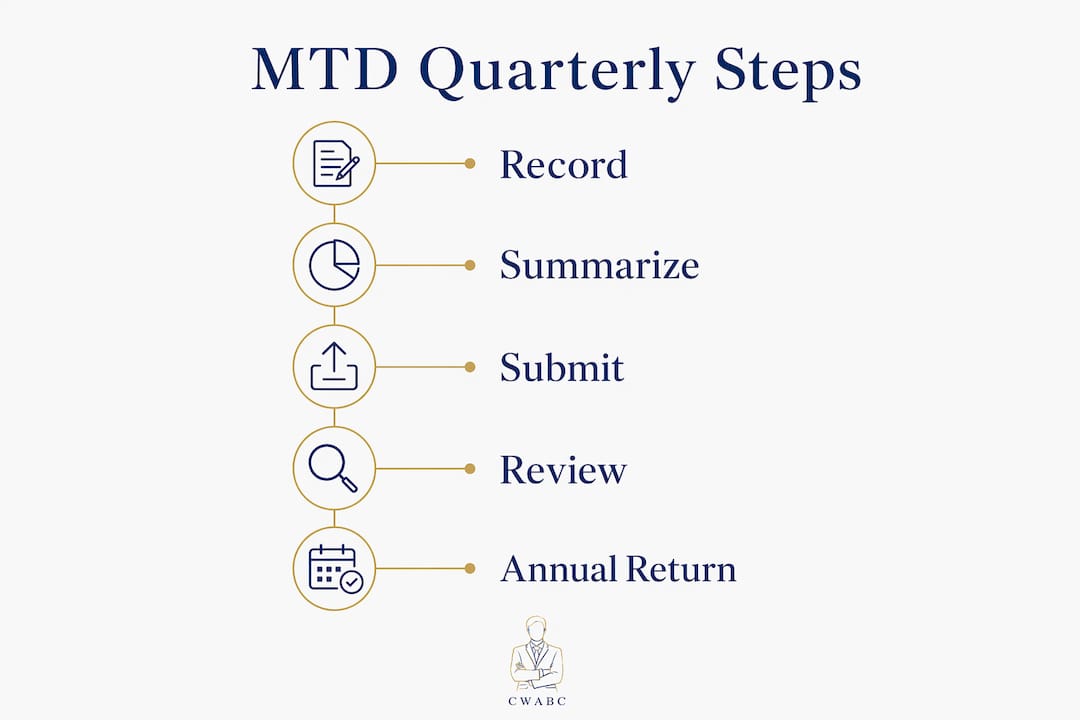
The calendar quarter election
You can elect to use calendar quarters instead of the standard tax-year quarters. The calendar quarter election shifts your quarter-end dates to 30 june, 30 september, 31 december, and 31 march. The submission deadlines remain the same: 7 august, 7 november, 7 february, and 7 may. This election binds you for the full tax year, so you must make it before your first quarterly report.
Penalties in the first year
There are no penalties for late quarterly submissions during the 2026/27 tax year. HMRC has built in a soft landing to help sole traders and landlords adjust to the new system. Penalties begin in subsequent years, so use 2026/27 to get your processes right rather than treating it as a year to skip submissions.
Pro Tip: If your bookkeeping already runs on calendar months, the calendar quarter election is worth considering. Aligning your reporting periods with your existing routines reduces the risk of missing a deadline.
What digital record-keeping and software do you need?
Compatible software is mandatory for MTD ITSA. You cannot submit quarterly updates through HMRC’s own website or by post. Your software must support digital record-keeping and direct submission to HMRC. The records it holds must reconcile with your bank statements and invoices.
Here is what your MTD-compatible software needs to do:
- Store digital records of all qualifying income and expenses
- Generate quarterly summaries automatically from those records
- Submit updates directly to HMRC
- Allow corrections to be carried forward into the next quarterly update
- Support multiple income sources if you have more than one business or property
Correct tax year and period settings inside your software are critical. A misconfigured period can cause submission errors that are difficult to unpick later. Xero, FreeAgent, and QuickBooks are all widely used options with HMRC-compatible MTD ITSA functionality. Free software options also exist for those with straightforward affairs, though they may offer fewer features.
HMRC expects you to maintain records that demonstrate reasonable care. That means your digital records should match your bank statements, and every expense claim should have a corresponding invoice or receipt stored digitally.
Pro Tip: Treat each quarterly submission like a formal period close. Reconcile your bank account, check your expense categories, and confirm your figures before you hit submit. This prevents a backlog of corrections building up by year-end.
How do quarterly updates integrate with the annual MTD tax return?
Quarterly updates are not a replacement for your annual tax return. They are summaries that feed into it. The year-end final declaration consolidates all four quarterly updates, adds any income types excluded from quarterly reporting (such as PAYE, savings interest, and pension income), and applies any reliefs or allowances. Only then does HMRC calculate your final tax liability.
The table below shows how quarterly updates differ from the traditional Self Assessment return:
| Feature | MTD quarterly updates | Traditional Self Assessment |
|---|---|---|
| Frequency | Four times per year | Once per year |
| Content | Business/property income summaries | All income types and reliefs |
| Submission method | Compatible software only | HMRC online or paper |
| Tax calculated? | No | Yes |
| Deadline | 7th of month after quarter end | 31 january following tax year |
The final declaration under MTD ITSA is due by 31 january following the end of the tax year, the same date as the current Self Assessment deadline. All four quarterly updates must be submitted before you can file the final declaration. Missing quarterly updates blocks your ability to submit the year-end return, which creates a real operational risk even during the penalty-free first year.
This is a significant shift from the current Self Assessment process. Under Self Assessment, you gather everything once a year and submit. Under MTD ITSA, you build your tax picture incrementally across the year. The year-end step becomes simpler because most of the data is already in your software.
What are common pitfalls and practical tips for managing quarterly reporting?
Getting quarterly reporting right is mostly about building good habits early. The most common mistakes come from leaving records until the last minute, mixing up income categories, or not reconciling bank statements before submitting.
-
Align your bookkeeping cycle with your chosen quarter periods. If you use calendar quarters, close your books at the end of each calendar month. If you use standard tax-year quarters, close at 5 july, 5 october, 5 january, and 5 april.
-
Never attempt to resubmit a past quarterly update to correct an error. Corrections belong in the next update, not in a resubmission of the previous one. This keeps your audit trail clean and aligns with HMRC’s expectations.
-
Keep separate digital records for each income source. Multiple income sources require separate quarterly updates per income type. A sole trader who also rents out a property needs two sets of records and two sets of quarterly submissions.
-
Choose and configure your software before april 2026. Do not wait until your first deadline to discover that your software is not set up correctly. Test a submission with dummy data if your software allows it.
-
Set calendar reminders for each deadline. The four deadlines for 2026/27 are 7 august, 7 november, 7 february, and 7 may. Put them in your phone, your calendar, and your bookkeeping software if it supports alerts.
Pro Tip: Set a recurring monthly task to update your records, even if your quarter has not ended yet. Monthly bookkeeping means your quarterly submission takes minutes rather than hours.
You can find a full MTD compliance checklist that covers software selection, registration steps, and record-keeping requirements for 2026.
Key takeaways
Making Tax Digital quarterly reporting requires four cumulative digital submissions per year to HMRC, all of which must be completed before you can file your annual final declaration.
| Point | Details |
|---|---|
| Quarterly updates are summaries | Report business and property income and expenses only; exclude PAYE and savings income. |
| Four deadlines per year | Submissions are due on 7 august, 7 november, 7 february, and 7 may for the 2026/27 tax year. |
| Compatible software is mandatory | Use HMRC-approved tools such as Xero, FreeAgent, or QuickBooks to submit directly. |
| No penalties in 2026/27 | The first year has a soft landing, but missed updates block your final declaration. |
| Corrections go forward, not back | Fix errors in the next quarterly update rather than resubmitting a previous one. |
What I have learned from helping clients prepare for MTD
The biggest misconception I see is that quarterly updates are mini tax returns. They are not. They are progress reports. HMRC is not asking you to calculate your tax four times a year. It is asking you to keep your records current and share a summary. Once clients understand that distinction, the whole thing feels much less daunting.
The second thing I have noticed is that the businesses who struggle most are the ones who leave their bookkeeping until january. MTD quarterly reporting does not punish those people with higher tax bills. It punishes them with blocked submissions and last-minute chaos. The system is designed to reward consistent record-keeping throughout the year.
My honest advice: do not wait for HMRC to chase you. The sole trader transition to MTD is not complicated if you start with the right software and a clear routine. The clients I work with who set up Xero or FreeAgent properly before april 2026 will find the first quarterly deadline in august almost unremarkable. The ones who delay will find themselves reconciling six months of records in a weekend.
The calendar quarter election is underused. Most sole traders and landlords I speak to have never heard of it. If your accounts already run on calendar months, electing calendar quarters removes a small but genuine source of confusion. It is a five-minute decision that saves hours of mental arithmetic across the year.
— Chris
How Cwabc can help you get MTD right from the start
Getting your software configured correctly before your first quarterly deadline is the single most practical step you can take right now. Cwabc specialises in accounting software setup for sole traders and landlords across Kent, working with Xero, FreeAgent, and QuickBooks to make sure your MTD records are accurate and your submissions go through without errors.

Whether you need help choosing the right software, setting up your digital records, or understanding your quarterly obligations, Cwabc offers clear, upfront support with no jargon. You can explore accounting software setup in Kent or get in touch directly to discuss your situation. Getting the foundations right now means every quarterly deadline from august 2026 onwards becomes a straightforward task rather than a stressful one.
FAQ
What is Making Tax Digital quarterly reporting?
Making Tax Digital quarterly reporting is the process of submitting digital summaries of your business or property income and expenses to HMRC four times per year using compatible software. It is part of MTD for Income Tax Self Assessment (MTD ITSA), which applies to sole traders and landlords from april 2026.
Do quarterly updates replace my Self Assessment tax return?
No. Quarterly updates are summaries that feed into your annual final declaration. The final declaration, due by 31 january, is where all income types, reliefs, and allowances are confirmed and your tax liability is calculated.
What happens if I miss a quarterly deadline?
In the 2026/27 tax year, there are no penalties for late quarterly submissions. From 2027/28 onwards, a points-based penalty system applies. Regardless of penalties, missing quarterly updates blocks you from submitting your year-end final declaration.
Can I correct a mistake in a submitted quarterly update?
You cannot resubmit a past quarterly update to correct an error. Corrections should be carried forward into the next quarterly update, which keeps your records clean and aligns with HMRC’s guidance.
Which software do I need for MTD quarterly reporting?
You need HMRC-compatible software that supports digital record-keeping and direct submission. Widely used options include Xero, FreeAgent, and QuickBooks. Free software is also available for those with straightforward affairs.