
Before you submit anything, check that your key invoices use the right code and run QuickBooks’ VAT error checker. Getting this wrong skews your VAT return and can trip up your Making Tax Digital submission.
TL;DR:
- Zero rated supplies remain taxable and usually preserve input VAT recovery, while exempt and outside the scope transactions generally do not.
- Use No VAT only for transactions genuinely outside VAT scope; coding a zero rated sale that way can remove it from Box 6.
- Check HMRC guidance before applying the 5% reduced rate, and confirm a customer’s VAT registration status before coding EU supplies.
- QuickBooks’ error checker flags duplicates and inconsistent codes, but it cannot determine unusual supplies’ legal treatment or validate imported totals.
- Record postponed import VAT from monthly HMRC statements, not commercial invoices, and keep each statement as evidence for the correct VAT period.
Table of Contents
- Common QuickBooks VAT codes and what each one means
- How VAT codes map to the VAT return boxes
- Which code to use for common UK scenarios
- How to set, edit and check VAT codes in QuickBooks
- Making Tax Digital and QuickBooks: submission and error checks
- Practical reconciliation checklist and a few pro tips
- Common small business coding errors and a recommended first step
- How I can help with VAT and QuickBooks
- FAQ
- Sources
- Need help?
Common QuickBooks VAT codes and what each one means
QuickBooks builds its VAT codes around the categories HMRC uses, and once you know what each one does, the rest of your VAT return makes a lot more sense.
- S (Standard, 20%): applied to most goods and services sold in the UK.
- R (Reduced, 5%): used for specific supplies such as home energy or children’s car seats.
- Z (Zero, 0%): used for VAT-taxable supplies charged at 0%, such as most food and children’s clothes.
- Exempt: used for supplies that sit outside VAT altogether, such as some financial services or insurance.
- No VAT: used for transactions outside the scope of VAT entirely, like wages or some grants.
- Reverse charge (RC): used where the buyer, not the seller, accounts for the VAT, common in construction and some cross-border services.
The current rates sit at 20% standard, 5% reduced and 0% zero-rated, and you can always check the latest position in HMRC’s VAT guide.
The distinction between zero-rated, exempt and outside the scope matters more than it looks. Zero-rated supplies still count as taxable, so you can usually reclaim VAT on related costs. Exempt and outside-the-scope supplies generally block that reclaim. Mixing these up is one of the most common coding errors I see, and it has a direct effect on how much VAT you can recover.
How VAT codes map to the VAT return boxes
Every code you choose in QuickBooks feeds into one of the nine boxes on your VAT return, so a wrong code doesn’t just look untidy, it changes your actual figures.
- Box 1: VAT due on sales, fed by standard and reduced-rate sales codes.
- Box 4: VAT reclaimed on purchases, fed by standard and reduced-rate purchase codes.
- Box 6: total net value of sales, including zero-rated and exempt sales.
- Box 7: total net value of purchases, including zero-rated and exempt purchases.
HMRC sets out exactly how these boxes should be completed in its VAT return guidance. If a sale gets coded as No VAT when it should be zero-rated, it can disappear from Box 6 entirely, which misstates your turnover and can flag up questions from HMRC further down the line, especially once it’s gone through an MTD submission.
Which code to use for common UK scenarios
Most coding mistakes happen on a handful of recurring transaction types, so it helps to have a quick reference for the situations you’ll meet most often.
- Domestic standard-rated sales: use S at 20% for most UK goods and services sold to UK customers.
- Reduced-rate supplies: check the relevant HMRC notice before applying R at 5%, since eligibility is narrower than many assume.
- Zero-rated exports: use Z and keep shipping and customs evidence to support the zero rating if HMRC ever asks.
- EU supplies: how you code these depends on whether your customer is VAT-registered, so confirm their status before choosing a code.
- Imports and postponed import VAT: record the import using your monthly postponed VAT statement, as set out in HMRC’s guidance on import VAT, and reflect it in the correct VAT period.
- Reverse charge and CIS: use the reverse charge or RC CIS codes when you’re buying construction services from another VAT-registered contractor, so the VAT is accounted for on your return rather than charged on the invoice.
Pro Tip: Keep a short note on file for any unusual transaction explaining why you chose a particular code. It saves a lot of back-and-forth if HMRC ever queries it.
How to set, edit and check VAT codes in QuickBooks
Getting your VAT setup right from the start avoids a lot of retrospective tidying later.
- Go to Taxes > VAT > Set up VAT to choose your accounting scheme and enter your VAT registration details; QuickBooks walks through this step by step in its VAT setup guidance.
- Add or change a VAT code directly on any invoice or bill line, so you’re not relying on a default that may not suit every transaction.
- Run the VAT error checker before submitting, and if you’re using bridging software or a spreadsheet import, double-check those figures land in the right boxes rather than assuming the import mapped them correctly.
Making Tax Digital and QuickBooks: submission and error checks
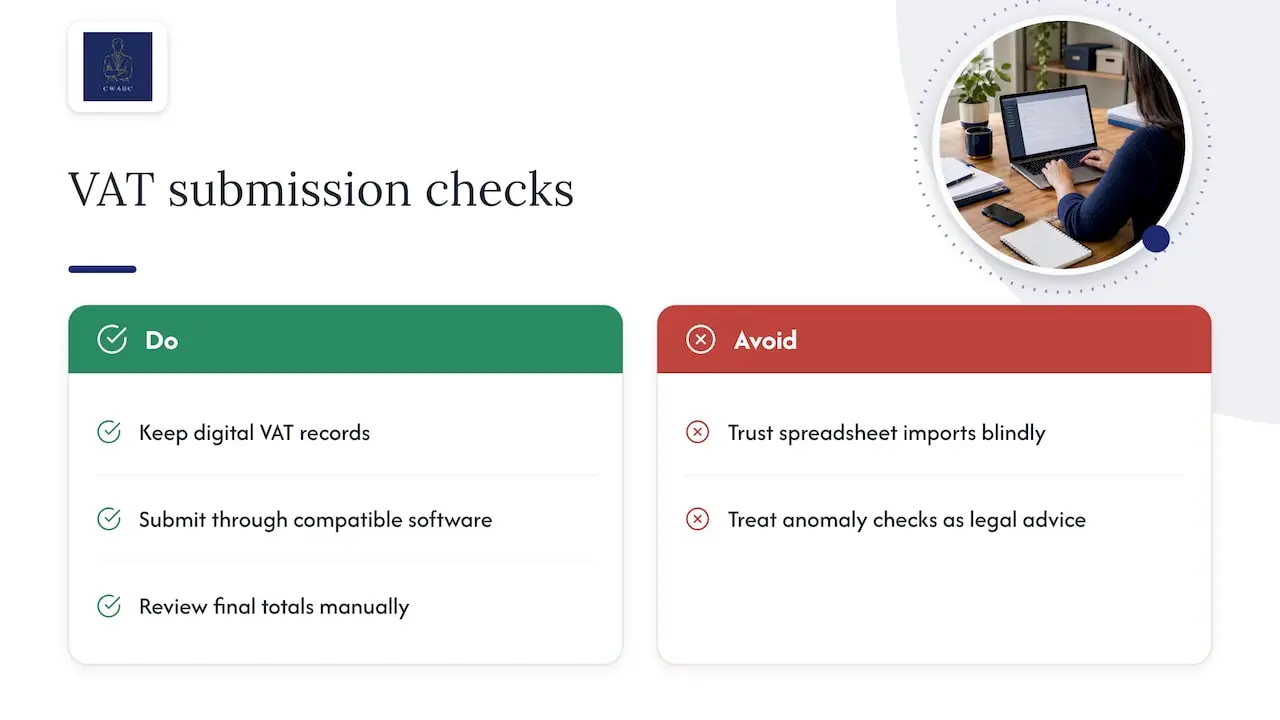
Making Tax Digital requires you to keep digital VAT records and submit through compatible software, and QuickBooks is built to support MTD for VAT. Its VAT software includes an error checker and a VAT App that flag duplicate entries and inconsistent codes before you file.
That said, the error checker spots anomalies, it doesn’t confirm the legal VAT treatment of a tricky supply. If you’re using bridging or spreadsheet imports, give the final totals a manual read-through before you submit, rather than trusting the import blindly.
Practical reconciliation checklist and a few pro tips
A short routine before each VAT period catches most problems before they reach HMRC.
- Confirm the tax treatment of any unusual sale or purchase before coding it.
- Keep your C79 certificates or monthly import VAT statements on file as evidence.
- Reconcile any VAT payment or refund against your bank records once the return is filed, a step covered in more detail in QuickBooks bank reconciliation.
Pro Tip: Set a 15 minute slot before each VAT deadline to scan recent transactions for mismatched codes, rather than only reviewing when something looks wrong. If you’ve already spotted an error, this checklist walks through fixing it properly.
Common small business coding errors and a recommended first step
In my experience, most coding errors come from a code chosen once and never revisited, even after a business starts trading differently. A short weekly check against recent invoices catches the majority of these before they reach a return. If your transactions have become more varied or cross-border, it’s worth having an accountant review your code mapping directly through my contact page.
How I can help with VAT and QuickBooks
If your QuickBooks codes need a proper review, I offer that support directly, without the jargon. My VAT Returns service checks your coding against your actual transactions before anything goes to HMRC, and I also provide:
- QuickBooks setup and training through my accounting software setup service.
- Ongoing bookkeeping support to keep your records accurate between returns.
- Help getting your reconciliation and MTD submissions consistent period after period.

Clients deal with me directly, so you get a straight answer rather than a queue. If you’d like a second pair of eyes on your VAT codes, get in touch through my VAT Returns page.
— Chris
FAQ
What is the difference between zero-rated and exempt VAT codes?
Zero-rated supplies are still taxable, just at 0%, so you can usually reclaim VAT on related purchases. Exempt supplies sit outside the VAT system entirely, and you generally cannot reclaim input VAT against them, as set out in HMRC’s VAT guide.
When should I use the No VAT code instead of zero-rated?
Use No VAT only for transactions genuinely outside the scope of VAT, such as wages or certain grants, never as a default for anything you’re unsure about. Misusing it can remove a transaction from Box 6 of your VAT return entirely, which HMRC’s VAT return guidance treats as a reporting error.
How do I record postponed import VAT in QuickBooks?
Postponed import VAT is recorded using your monthly HMRC statement rather than the commercial invoice, following the steps in HMRC’s import VAT guidance. Keep each statement on file, since it’s your evidence for both the VAT due and the VAT reclaimed.
Does QuickBooks’ VAT error checker guarantee a correct return?
The error checker flags duplicate entries and inconsistent codes, which helps catch obvious mistakes before submission, according to QuickBooks’ VAT software page. It doesn’t assess the legal VAT treatment of unusual or complex transactions, so those still need a manual check.
What VAT code should I use for construction services under the reverse charge?
Construction services between VAT-registered contractors generally use the reverse charge or RC CIS code, so the VAT is accounted for by the buyer rather than charged on the invoice. If you’re unsure whether a specific job qualifies, it’s worth checking against the current CIS rules before coding it, or asking for a quick review through CIS Services.
Need help?
If any of this leaves you wanting a second opinion on your own VAT setup, I’m happy to take a look. You can reach me through my contact page.