
Running payroll for zero hours workers is the same legal process as for anyone else: register for PAYE, pay at least the National Minimum Wage for the hours worked, deduct tax and National Insurance, report through Real Time Information (RTI) and issue a payslip. What makes it harder is that the hours change every pay period. That means pay, holiday and records all need a little extra care. This guide takes you through each step calmly, in order, with a worked example.
I’m Chris White, and I help small employers across Tonbridge, Sevenoaks and the rest of Kent, and remotely across the UK, set up payroll that copes with irregular hours.
TL;DR
- Pay at least the National Minimum Wage or National Living Wage for every hour worked. You don’t pay for periods when you offer no work.
- Register as an employer, use the right tax code, and report pay and hours to HMRC through RTI each time you pay.
- Holiday builds up at 12.07% of hours worked. You can pay it as it is earned (rolled-up holiday pay) if the worker’s hours are genuinely irregular, and it must be shown separately on the payslip.
- Give every worker an itemised payslip on or before payday, showing total hours worked where pay varies.
- Keep accurate hours, pay and holiday records. Payroll software makes this much easier.
Table of Contents
- What a zero hours contract means for payroll
- Step 1: Register for PAYE and set up your payroll
- Step 2: Calculate pay from hours worked
- Step 3: Tax codes and National Insurance
- Step 4: Real Time Information and reporting hours
- Step 5: Workplace pension assessment
- Step 6: Holiday entitlement and holiday pay
- A worked payroll example
- Payslips for zero hours workers
- Records you need to keep
- Law changes to keep an eye on
- Why payroll software helps
- My perspective
- How I can help with your payroll
- FAQ
- Need help?
- Sources
What a zero hours contract means for payroll
A zero hours contract means you don’t guarantee any minimum hours, and the worker doesn’t have to accept the work you offer. For payroll, the key point is simple. HMRC’s National Minimum Wage manual explains that these workers are entitled to at least the minimum wage for their working time. They are not treated as working when you provide no work, so no pay is due for those periods.
That gives you a clear rule: pay is driven by recorded hours. Your payroll is only as accurate as your timesheets, rotas or clock-in data, so decide early how hours will be captured and who signs them off.
It also helps to know that rules around these contracts are changing. I cover that in a later section so you can plan without worry.
Step 1: Register for PAYE and set up your payroll
Before you pay anyone, you need to be registered with HMRC as an employer and have a way of running payroll and sending RTI submissions. If you haven’t done this yet, my guide on how to set up PAYE as a first-time employer walks through it.
For each new starter you will need:
- Their full name, address, date of birth and National Insurance number.
- A starter checklist (or P45 from a previous job) so you can allocate the correct tax code.
- A signed contract or written statement of terms, including how and when they will be paid.
- Their bank details and the pay frequency (weekly, fortnightly or monthly).
Treat a zero hours worker exactly like any other employee at this stage. Starting them on the right code from day one avoids awkward corrections later.
Step 2: Calculate pay from hours worked
The calculation is straightforward once the hours are reliable:
- Total the hours worked in the pay period.
- Multiply by the hourly rate.
- Add any overtime, bonuses or rolled-up holiday pay (more on that below).
- Deduct income tax, employee National Insurance and any pension contributions.
Check two things every period. First, that the hourly rate meets the legal minimum for the worker’s age band. The current rates are on GOV.UK, and they change each April. Second, that the effective hourly rate doesn’t fall below the minimum once you account for any time that counts as working time, such as certain training or time spent travelling between jobs. If you are unsure whether a particular activity counts, ask me or check the HMRC manual before you run payroll.
Periods when no work is undertaken
It is normal for a zero hours worker to have weeks with no shifts. In those periods:
- No wages are due, because no work was provided.
- You usually don’t need to run a payment for that worker, although the worker stays on your payroll as an employee unless you end their employment and send a leaving submission.
- Make a note in your records of why there was no work (no shifts offered, or shifts declined), as it shows a clear audit trail.
- If you do pay in a no-work week, for example a holiday payment, it must still be processed and reported correctly.
The trap is leaving someone half-set-up on the system. If a worker has left, tell me or your software and process a proper leaver so that tax codes, pension and records stay tidy.
Step 3: Tax codes and National Insurance
Tax codes tell you how much tax-free pay to allow. You get them from the starter checklist, a P45, or from HMRC notices that arrive during the year. You must apply the code HMRC gives you and keep any code notice with your payroll records.
For irregular hours, two points matter:
- Tax and National Insurance are worked out on the pay in each period, using the thresholds and rates in force for that tax year. Payroll software applies these automatically, so you don’t need to memorise them.
- Weeks with very low pay may produce no tax or National Insurance at all. That is not a mistake. It simply reflects the thresholds.
If a worker has another job, they may be on a different code. Never guess. Use the code on the starter checklist and update it when HMRC sends a new one. The official detail is in the employer further guide to PAYE and National Insurance.
Step 4: Real Time Information and reporting hours
Real Time Information means you tell HMRC about pay, tax and National Insurance each time you pay your employees, on or before payday. Late or missing submissions can lead to penalties, so build the routine into your pay calendar.
There is one change particularly relevant to irregular hours. HMRC’s draft explanatory memorandum for the PAYE amendment regulations states that from April 2025 employers must report hours paid for each employee in each RTI period where that information is held, or otherwise give a specified reason. For zero hours workers you already hold this information, because pay is based on it. Make sure your software records hours in the right field and that the figures match your payslips.
Step 5: Workplace pension assessment
Automatic enrolment duties apply to zero hours workers too. Each pay period, your payroll needs to assess a worker’s age and earnings in that period to decide whether they are an eligible jobholder, a non-eligible jobholder or an entitled worker. Because earnings in a zero hours role jump around, one worker can move between categories from one period to the next.
This is a good example of why a payroll system that runs the assessment automatically is worth having. If you are not sure which category someone falls into, or you haven’t chosen a pension provider, speak to your payroll provider or your provider before the next pay run. The Pensions Regulator is the official body for employer duties.
Step 6: Holiday entitlement and holiday pay
Holiday is where zero hours payroll most often goes wrong, so it deserves some time.
How much holiday builds up
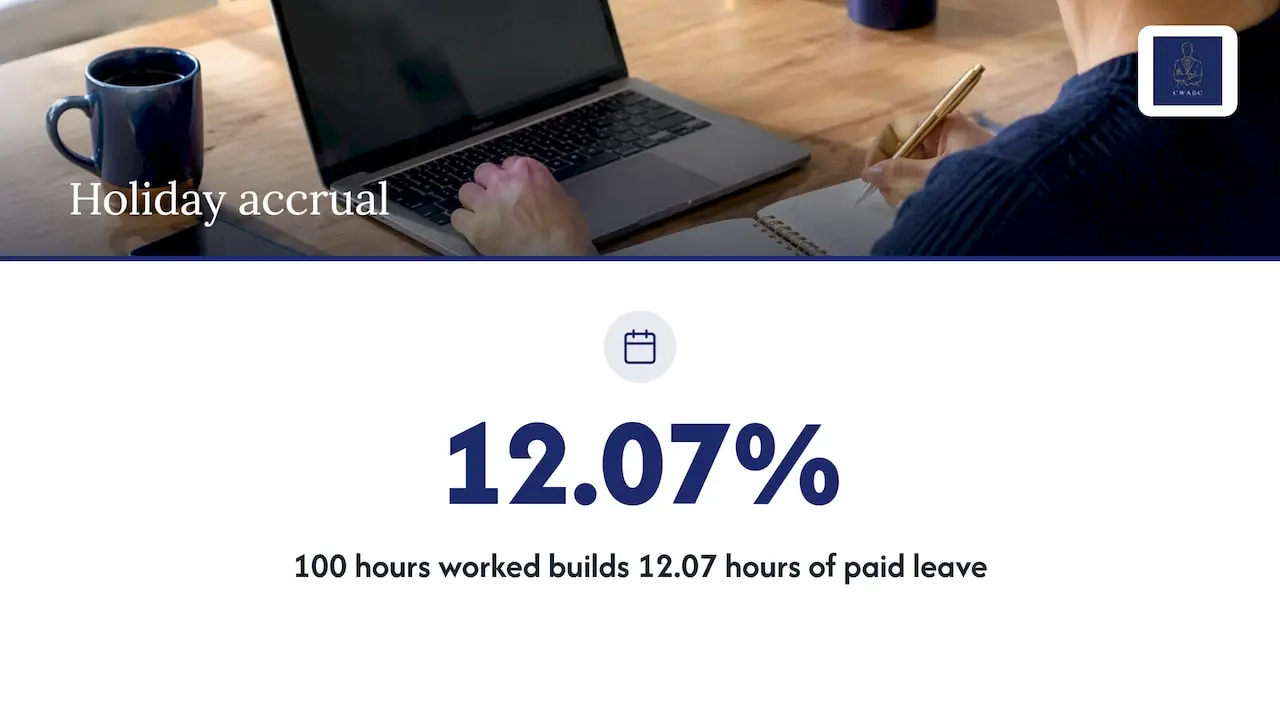
For leave years beginning on or after 1 April 2024, holiday entitlement for irregular hours and part-year workers is 12.07% of the actual hours worked in a pay period. So if someone works 100 hours in a period, they have built up 12.07 hours of paid leave.
What to pay when they take leave
When a worker takes holiday, you pay for it using their average pay. The government’s guidance states that the 52-week reference period counts only weeks in which the worker was paid, skips weeks with no work, and can look back up to 104 weeks to find 52 paid weeks. This is helpful because a quiet spell doesn’t drag the average down.
Rolled-up holiday pay
Rolled-up holiday pay means you add the holiday pay to each payment instead of paying it when leave is taken. It is allowed for irregular hours and part-year workers. Acas explains that you can pay at least 12.07% of the worker’s total pay, and it must be shown as a separate item on the payslip.
If you use this method:
- Put it in the contract or written terms so that the worker knows.
- Show the rolled-up amount as its own line, never folded into the hourly rate.
- Remember it is not a bonus. It stands in for holiday pay, and the worker should still be able to take time off.
- Treat it as pay for tax and National Insurance purposes. It goes through payroll like the rest of the pay.
Rolled-up pay isn’t right for everyone. It is intended for genuinely irregular hours or part-year work. If someone works a regular pattern, standard holiday accrual is the safer route. If you aren’t sure which applies, ask me and I will help you decide before you set it up. Because the details can change, always check the Acas page above for the current rules.
A worked payroll example
Here is a simple, illustrative example. The figures are made up to show the method. They are not tax thresholds, and your software will work out tax and National Insurance using the rates in force.
Imagine an employee paid £13.00 an hour (you would confirm this is above the minimum wage for their age) with rolled-up holiday pay, paid weekly.
| Week | Hours worked | Basic pay | Rolled-up holiday (12.07%) | Gross pay |
|---|---|---|---|---|
| 1 | 18 | £234.00 | £28.24 | £262.24 |
| 2 | 0 | £0.00 | £0.00 | £0.00 |
| 3 | 31 | £403.00 | £48.64 | £451.64 |
What happens each week:
- Week 1. 18 hours at £13.00 gives £234.00. 12.07% of £234.00 is £28.24 (rounded to the nearest penny). The payslip shows hours, basic pay and the holiday line separately. Your software then deducts tax, National Insurance and any pension contribution to reach net pay.
- Week 2. No work was offered, so no pay is due. You record the reason. You don’t need to make a payment.
- Week 3. 31 hours gives £403.00, plus £48.64 holiday. Hours paid are sent to HMRC in the RTI submission.
If you used standard holiday accrual instead, there would be no extra line each week. Hours would build up at 12.07%, and you would pay the worker their average pay when they book leave.
Payslips for zero hours workers
Every worker is entitled to an itemised payslip. Acas confirms it must be given on or before payday and show gross and net pay, fixed and variable deductions and, for variable-pay workers, the total hours worked in the pay period. Electronic payslips are fine. Include the rolled-up holiday pay line if you use it.
Records you need to keep
Accurate records protect you if HMRC or a worker ever questions a payment. Keep:
- Hours worked each pay period, with the rota, timesheet or clock-in source.
- Pay calculations, deductions and payslips.
- Tax code notices and starter information.
- Holiday accrued, taken and paid, including any carried-over leave.
For retention periods, the Acas guidance on irregular hours workers says holiday and holiday pay records should be kept for at least 6 years. The employer further guide says standard PAYE records must be kept for at least 3 years from the end of the tax year they relate to. HMRC also warns that if records are incomplete it can estimate what you owe and charge a penalty of up to £3,000. My article on how long to keep tax records has a fuller breakdown.
At the end of the tax year, my payroll year-end checklist helps you get P60s out on time.
Law changes to keep an eye on
The Employment Rights Act 2025 became law on 18 December 2025. Acas says workers on zero hours and low hours contracts will get rights to guaranteed hours if they want them, compensation for cancelled, shortened or moved shifts, and reasonable notice of shifts. It also says the government has not yet announced when these changes will happen and that the way they are implemented is subject to consultation.
So these are not yet in force. In practice, the best preparation is to:
- Keep clear records of the hours each person actually works over time.
- Record when shifts are offered, changed or cancelled.
- Use payroll software that can report on hours, so you can see patterns quickly.
- Check the Acas and GOV.UK pages for the latest position before you change contracts.
Why payroll software helps
With irregular hours, doing the sums by hand is where mistakes creep in. Payroll software can calculate pay from hours, apply tax codes and National Insurance, add rolled-up holiday, run pension assessments, produce payslips and send RTI submissions. It also stores the audit trail you need. If you are weighing up doing it yourself against getting help, see my guide to what payroll outsourcing costs.
My perspective
Most small employers I talk to are not worried about the sums. They are worried about getting something wrong without realising, especially with holiday pay and with weeks when nobody works.
My view is that good payroll for irregular hours is mostly about routine. Agree how hours are captured, check them before each pay run, and let the software do the calculating. Once that is in place, each pay period takes minutes rather than an evening of worry.
I work directly with you, I explain things in plain English, and I set up the software around how your business actually runs. That personal approach is what I think makes payroll feel manageable.
Chris
How I can help with your payroll
I can help you register for PAYE, set up your payroll software, choose and document how holiday pay is handled, run pay periods and send RTI submissions. I work with small employers in Tonbridge, Hildenborough, Sevenoaks and across Kent, and remotely throughout the UK. You deal with me directly, and I agree the price clearly with you at the start.

You can read more about my payroll and CIS support or see all my accounting services. I can also help you set up cloud accounting software so your payroll and bookkeeping sit together.
FAQ
Do I have to pay a zero hours worker when I don’t give them any work?
No. HMRC’s guidance says these workers are not treated as working when you provide no work, so no minimum wage is due for those periods. You should still keep a record, and the worker remains an employee until their employment ends.
Can I use rolled-up holiday pay for every zero hours worker?
It is intended for irregular hours and part-year workers, not for everyone. It must be at least 12.07% of total pay and shown as a separate line on the payslip. If someone works a regular pattern, standard holiday accrual is usually the better fit.
Do I need to show hours on a zero hours worker’s payslip?
Yes, where pay varies. Acas says payslips for variable-pay workers should show the total hours worked in the pay period, along with gross and net pay and deductions.
Are the new zero hours rules already in force?
The Employment Rights Act 2025 is law, but Acas says the government has not announced when the zero hours changes will happen. Check Acas and GOV.UK for the current position before changing contracts.
Need help?
If you would like calm, practical help with payroll for zero hours or irregular hours workers, I would be glad to talk it through. Get in touch with me here and I will reply as soon as I can.
Sources
- HMRC National Minimum Wage manual: zero hours contracts
- National Minimum Wage and National Living Wage rates
- Holiday pay and entitlement reforms
- Calculating holiday pay for workers without fixed hours or pay
- Acas: rolled-up holiday pay
- Acas: irregular hours and part-year workers
- Acas: payslips
- Acas: Employment Rights Act 2025
- Draft explanatory memorandum, PAYE amendment regulations
- Employer further guide to PAYE and National Insurance contributions
- GOV.UK: PAYE and payroll for employers, keeping records
Recommended
- Set Up PAYE in 15 Minutes for First Time UK Employers
- P60s by 31 May: payroll year end checklist for small UK employers, AAT
- What does payroll outsourcing really cost UK employers?
This article provides general information based on UK tax and accounting rules at the time of publication. It is not a substitute for advice tailored to your individual circumstances. Tax legislation and HMRC guidance may change. If you need advice about your specific situation, please contact me at CW Licensed Bookkeeper & Accountant.