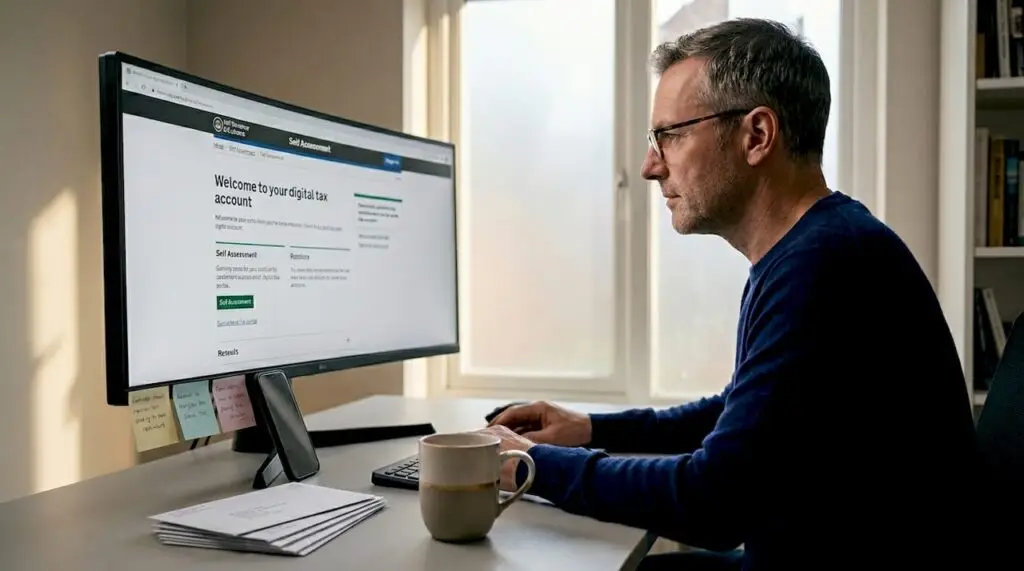
If you are a sole trader or landlord in the UK, you have probably heard the phrase “digital tax account” and wondered what it actually means for you. A digital tax account is your online portal with HMRC where your tax information lives, and it sits at the heart of Making Tax Digital (MTD), the government’s shift away from paper records and annual Self Assessment filings. This guide explains what a digital tax account is, who needs one, how to get set up, and what the practical benefits look like for your day-to-day finances.
Table of Contents
- Key takeaways
- What is a digital tax account and how does it fit into MTD?
- How to set up a digital tax account
- Benefits of a digital tax account for individuals and small businesses
- Common challenges and nuances to be aware of
- Managing your digital tax account efficiently
- My honest take on digital tax accounts and MTD
- How Cwabc can help you get set up
- FAQ
Key takeaways
| Point | Details |
|---|---|
| Digital tax accounts are online portals | HMRC centralises your tax information in one place, replacing paper-based filing. |
| MTD thresholds start at £50,000 | Sole traders and landlords earning over £50,000 must comply from 6 April 2026. |
| Quarterly updates are not tax returns | You submit income and expense summaries four times a year, not four full tax returns. |
| Software choice is flexible | The tool you use for records does not have to be the same one you use to submit updates. |
| Early setup prevents last-minute stress | Getting your accounting period and software right before the first deadline avoids costly errors. |
What is a digital tax account and how does it fit into MTD?
A digital tax account is your secure, personal online account with HMRC. Think of it as a single dashboard where HMRC can see your income sources, tax obligations, and filing history. It replaces the old paper trail and brings everything into one accessible place. You can view and manage tax information covering Income Tax, Self Assessment, and other services without posting a single form.
The digital tax account sits within the broader Making Tax Digital framework. MTD is HMRC’s programme to modernise the UK tax system by requiring taxpayers to keep digital records and report their income more regularly. For income tax specifically, this is called MTD for Income Tax Self Assessment, or MTD ITSA.
Here is what the MTD ITSA process looks like in practice:
- Digital record keeping. You record all income and expenses in MTD-compatible software throughout the year, not just at year end.
- Quarterly updates. You submit a summary of your income and expenses to HMRC four times a year through your digital tax account.
- Final digital return. At the end of the tax year, you complete a final return to confirm your figures and make any tax adjustments.
“A digital tax account is not just a filing tool. It is an ongoing, live record of your financial position with HMRC.”
Who does this apply to? MTD for Income Tax requires sole traders and landlords with annual qualifying income over £50,000 to keep digital records and submit quarterly updates starting 6 April 2026. The thresholds then lower in subsequent years, reaching £20,000 by 2028. If you are not yet above the threshold, it is still worth understanding the system now. The rules will reach you sooner than you think.
One common misconception is that a digital tax account and a digital tax return are the same thing. They are not. Your digital tax account is the permanent portal. A digital tax return is one specific submission made through it.
How to set up a digital tax account
Getting started is more straightforward than most people expect. Here is the process broken down into clear steps.
- Create a Government Gateway account. Go to the HMRC website and register for a Government Gateway user ID if you do not already have one. You will need your National Insurance number and some personal identification details.
- Sign in to your personal tax account. Once registered, you can access your personal tax account at HMRC’s online services. This is your digital tax account in its basic form.
- Sign up for MTD for Income Tax. This is a separate step from simply having a Government Gateway account. You or your accountant can sign up through HMRC’s MTD portal. Check the MTD ITSA explained page for a full walkthrough tailored to sole traders and landlords.
- Choose your MTD-compatible software. You need software that can connect directly to HMRC’s systems to submit your quarterly updates. Options include dedicated accounting platforms or bridging software. Bridging software allows you to maintain traditional spreadsheets while remaining MTD compliant by digitally connecting your data to HMRC systems.
- Set your accounting period correctly. This is the step most people overlook. The default accounting period is 6 April to 5 April, but it must align with your actual financial year. Once you submit your first quarterly update, you cannot change the period without creating reporting inaccuracies.
- Begin keeping digital records. From your start date, every transaction must be recorded digitally. All data transfers under MTD must be digital from the point business records are created.
Pro Tip: You do not have to use the same software for record keeping and for submitting your quarterly updates. Software flexibility is built into MTD, so you can use the best tool for your daily records and a separate one for compliance submissions. Not many people realise this, and it removes a lot of pressure when choosing your setup. If you want help comparing options, the Xero vs FreeAgent vs QuickBooks guide is a good starting point.
Benefits of a digital tax account for individuals and small businesses
Once you are set up, the advantages become clear quite quickly. Managing your digital tax account well genuinely changes how you relate to your finances.
- Fewer year-end surprises. Because you are recording income and expenses throughout the year, you always have a current picture of your tax position. No more scrambling in January to find receipts from the previous April.
- Pre-populated information. HMRC can pull in data from employers, pension providers, and banks, reducing the amount you need to enter manually at year end.
- Better collaboration with your accountant. You can authorise your accountant or bookkeeper as an agent, giving them direct access to submit on your behalf. This makes working together much cleaner and faster.
- Improved cash flow planning. Because you see your income and expenses summarised quarterly, you can plan for your tax bill in advance rather than facing an unexpected lump sum. The shift to continuous digital record-keeping helps taxpayers become more engaged with their financial data year-round, which directly improves planning.
- Reduced errors. Digital records with direct submission to HMRC cut out the manual re-keying that causes so many mistakes in paper-based systems.
- One place for everything. Your Income Tax, Self Assessment history, and correspondence all live in the same account. No more hunting through old paperwork.
The benefits of a digital tax account are not just about compliance. They are about having a clearer, calmer relationship with your money.
Common challenges and nuances to be aware of
Understanding the system also means knowing where people run into trouble. A few nuances are worth getting right from the start.
Quarterly updates are not mini tax returns
This is the single most common misunderstanding. Quarterly updates are summaries of income and expense categories. They are not full tax returns. Accounting adjustments, reliefs, and final tax calculations all happen in the end-of-year final return. Knowing this reduces a lot of anxiety around what each quarterly submission actually involves.
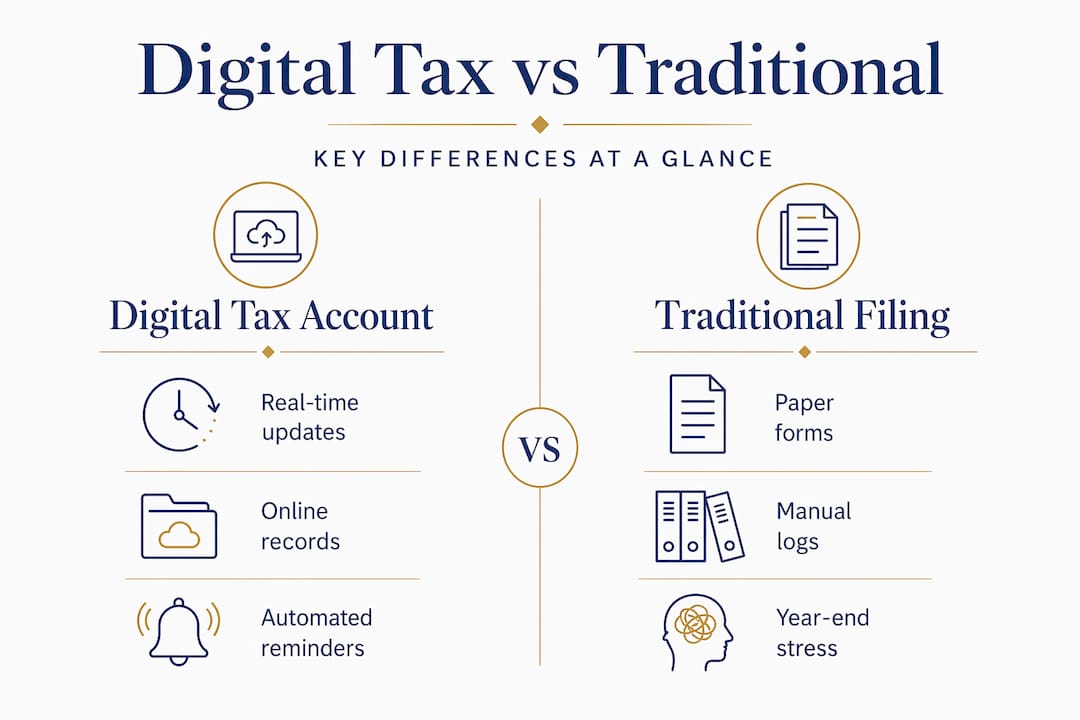
The digital tax account vs traditional filing comparison
| Feature | Digital tax account (MTD) | Traditional Self Assessment |
|---|---|---|
| Record keeping | Digital, ongoing | Paper or spreadsheet, annual |
| Submissions per year | Four quarterly updates plus final return | One annual return |
| Error correction | Easier with live digital records | Often discovered only at year end |
| Collaboration with agent | Real-time access | Documents shared periodically |
| Tax position visibility | Continuous | Once a year |
Joint property owners and complex income
If you own property jointly, each owner must comply with MTD individually. This means separate software setups and separate submissions. Planning this in advance, rather than at the last minute, avoids significant confusion.
Pro Tip: The phased MTD rollout means thresholds drop from £50,000 in 2026 to £30,000 in 2027 and £20,000 in 2028. If you are just below the current threshold, start preparing now. Getting your software and records in order a year early is far less stressful than rushing to comply the month before your obligation begins.
Managing your digital tax account efficiently
Once you are set up, staying on top of your digital tax account comes down to consistent habits rather than heroic year-end effort.
- Record transactions weekly, not monthly. The more regularly you update your records, the more accurate your quarterly summaries will be. Weekly is a realistic habit for most sole traders and landlords.
- Know your quarterly deadlines. The first quarterly update under MTD ITSA is due by 7 August 2026, covering the period from 6 April to 5 July 2026. Mark these dates in your calendar now.
- Authorise your agent early. If you work with a bookkeeper or accountant, get the agent authorisation done before your first submission deadline. The process takes a few days and you do not want to be chasing it at the last minute.
- Review your software regularly. MTD-compatible software is updated frequently as HMRC refines its requirements. Make sure your platform remains on HMRC’s approved list.
- Use your account for correspondence too. HMRC sends notices and reminders through your digital tax account. Check it regularly so nothing slips through. For more on staying ahead of the deadlines, the MTD readiness guide covers practical preparation steps in detail.
My honest take on digital tax accounts and MTD
I have worked with sole traders and landlords who were genuinely anxious about Making Tax Digital. The fear usually comes from the same place: it sounds like more work, more complexity, and more chances to get something wrong.
Here is what I have actually found. The people who struggle most are not those who find the technology difficult. They are the ones who delay getting started and then face the pressure of setting up software, correcting their accounting period, and submitting their first quarterly update all at once.
The digital tax account itself is not the hard part. HMRC’s portal is reasonably straightforward once you are in it. The real work is in choosing the right software, setting it up correctly, and building the habit of regular record keeping. Get those three things right and the quarterly submissions become almost automatic.
What I genuinely believe is that MTD will end up benefiting most small business owners and landlords, even if it does not feel that way right now. Knowing your tax position throughout the year, rather than discovering it in January, is a real advantage. It changes how you make financial decisions. You stop guessing and start knowing.
The ATT’s guidance on MTD behavioural change puts it well: this is a significant shift in how taxpayers engage with their finances. My advice is to treat it as an opportunity to get organised, not a burden to endure.
— Chris
How Cwabc can help you get set up
If reading this has left you thinking “I understand it now, but I still do not want to do it alone,” that is completely reasonable. Setting up a digital tax account and getting your MTD software right the first time makes a real difference to how smoothly the whole process runs.

At Cwabc, we work specifically with sole traders and landlords in and around Tonbridge to get their digital records and MTD compliance sorted without the stress. We help you choose the right software, set up your accounting period correctly, and handle your quarterly submissions accurately and on time. Our MTD ITSA support services are built around your specific situation, not a one-size-fits-all approach. You can also explore our accounting software setup service if you want hands-on help getting Xero, FreeAgent, or QuickBooks connected and ready. For a full picture of what MTD means for your income from 2026 to 2028, our MTD ITSA guide is the place to start.
FAQ
What is a digital tax account with HMRC?
A digital tax account is your secure online portal with HMRC where your tax information, filing history, and correspondence are centralised. It forms the foundation of the Making Tax Digital system for income tax.
Who needs a digital tax account for MTD?
Sole traders and landlords with annual qualifying income over £50,000 must comply from 6 April 2026, with the threshold lowering to £30,000 in 2027 and £20,000 in 2028.
Is a digital tax account safe to use?
Yes. HMRC’s digital tax account uses Government Gateway authentication, including two-step verification, to protect your data. It is the same security used across all HMRC online services.
Do quarterly updates replace my Self Assessment return?
No. Quarterly updates are summaries of income and expenses only. Your final annual return, where tax adjustments and reliefs are calculated, is still required at the end of each tax year.
Can I use different software for records and submissions?
Yes. MTD allows you to use one tool for day-to-day record keeping and a separate one, including bridging software, for submitting quarterly updates to HMRC.